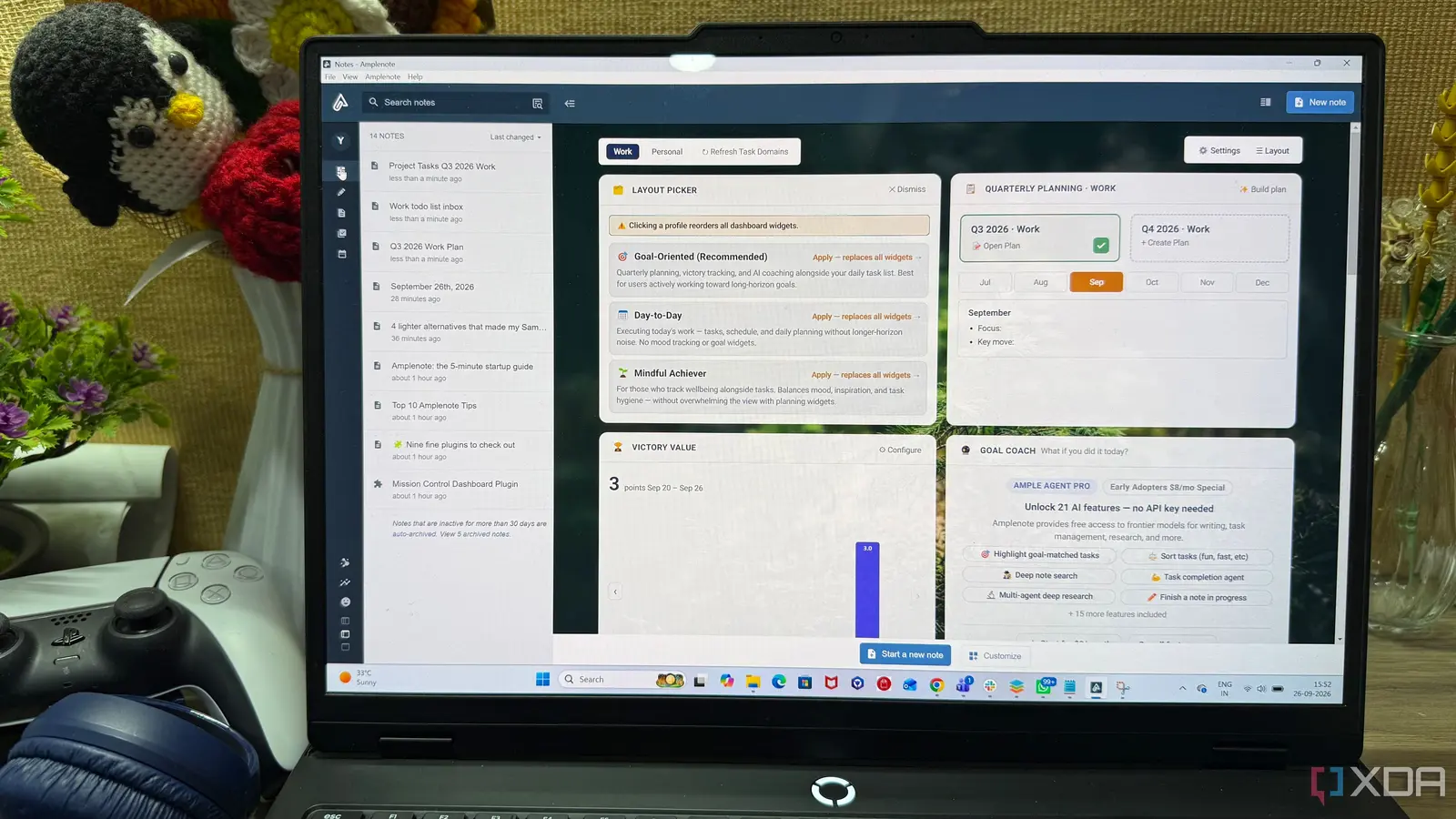
How Integrated Design Boosts Daily Efficiency
Yash Patel, a former software engineer turned tech blogger, announced on September 26, 2026, that he has consolidated his scattered productivity tools into a single application. After three years coding at a startup and another two years writing for his blog, DiGiTAL BiRYANi, Patel says the new platform has streamlined his workflow, eliminating the need to juggle separate note‑taking, task‑management, and calendar apps.
Latest news
 Anker Unveils Playful 45W Charger With Animated Face Display
 Google Docs Web Version Still Missing Native Dark Mode
 Anthropic-Linked Vulnerability Exploited From China, Targets US and Japan
 Text‑Based AI Agents: Your New Digital Assistants
Patel’s shift began when he grew frustrated with constant app‑switching, missed deadlines, and duplicated information. He tested several integrations but found most either lacked real‑time syncing or forced him into rigid templates. The chosen solution, a unified productivity suite, links handwritten notes, to‑do lists, and calendar events through AI‑driven linking. When a note mentions a meeting, the app automatically suggests a calendar entry; when a task references a document, the note is attached for quick reference. Patel credits the app’s natural‑language processing and cross‑platform sync for cutting his daily planning time by nearly half.
The app’s core feature is its „Contextual Bridge,” which scans text across notes, tasks, and calendar entries for keywords. If a note reads „draft proposal for client X,” the system prompts the user to create a task titled „Draft proposal” with a due date pulled from the calendar. Patel observed that this reduced his reliance on manual copy‑pasting and minimized the risk of overlooking critical steps. He also notes the app’s ability to sync with popular cloud services, ensuring that files stored on Google Drive or Dropbox appear directly within relevant notes. „Everything feels connected now,” Patel said. „I no longer have to remember which app holds which piece of information.”
Can One App Replace All Productivity Tools?
Critics often argue that a single app cannot match the depth of specialized software. Patel acknowledges that power users may miss certain niche features, but he argues that the trade‑off favors simplicity for most professionals. The app offers customizable views, allowing users to toggle between a minimalist note board and a detailed task timeline. Its built‑in analytics track time spent on each project, giving users insight into productivity patterns. Early adopters report a 30‑40 percent reduction in time spent organizing work, freeing up hours for creative tasks. Patel believes the platform’s modular design will continue to evolve, adding plugins for advanced project management without sacrificing its unified core.
The consolidation of notes, tasks, and calendar into a single interface promises to reshape how knowledge workers organize their days. As more professionals seek to reduce digital clutter, tools that blend multiple functions could become the new standard. Patel plans to document his ongoing experience, hoping his insights will guide others navigating the crowded productivity market.
Frequently Asked Questions
Is the app compatible with existing note‑taking services? Yes, it can import data from major note apps like Evernote, OneNote, and Apple Notes, preserving formatting and tags during migration.
Does the app work offline? The platform offers offline mode, storing changes locally and syncing automatically once an internet connection is restored.
What security measures protect my data? All data is encrypted end‑to‑end, and the app supports two‑factor authentication and granular permission settings for shared projects.
Comments
Leave a comment