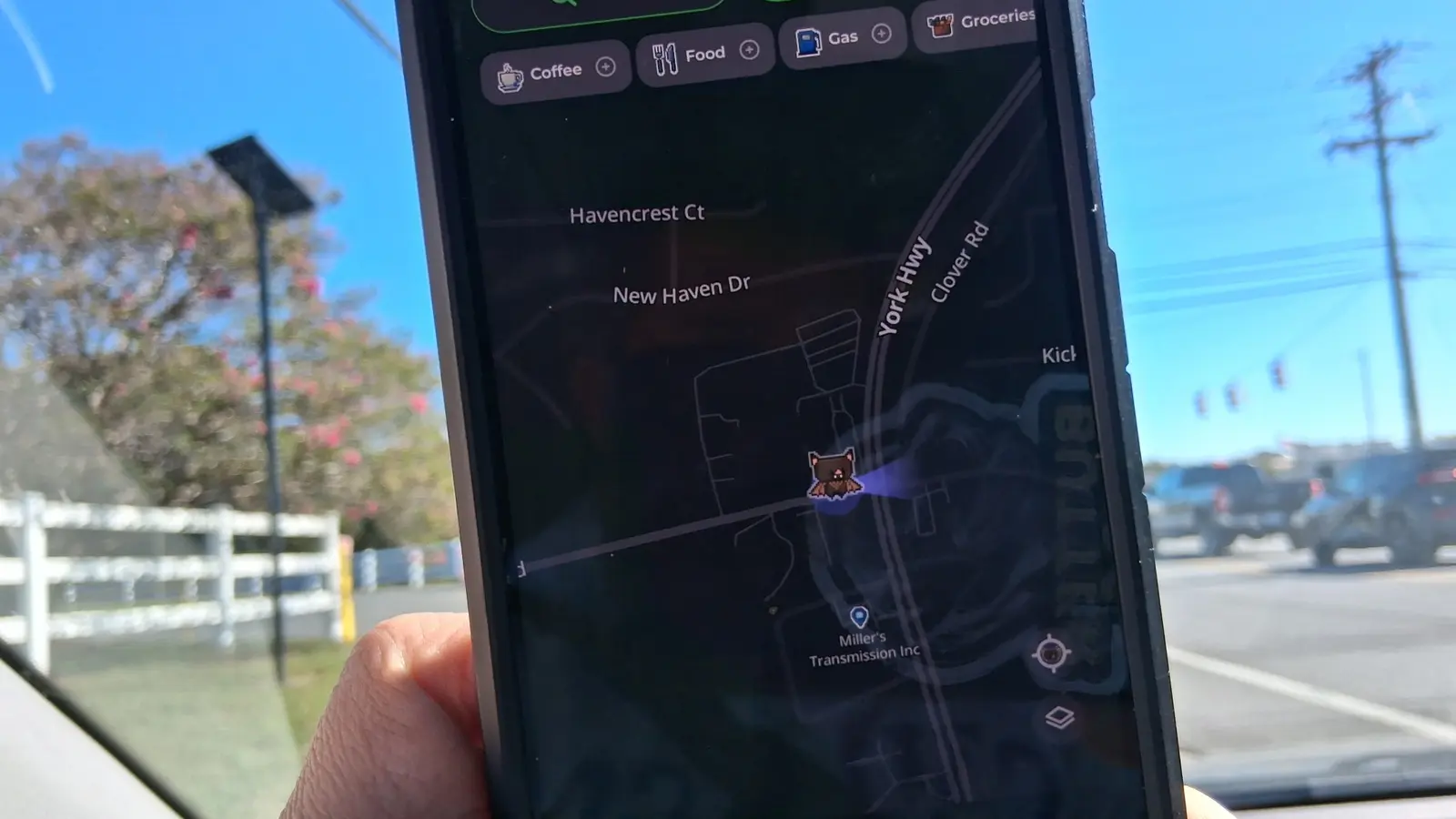
Why MapQuest Decided to Add a Surveillance Layer
MapQuest, the long‑standing navigation app, has added a „surveillance” layer that displays the positions of license‑plate cameras across the United States. The update, released in early October, lets drivers see where cameras from Flock and other operators are located, providing a new tool for those who want to avoid or monitor surveillance.
Latest news
 Corsair Vengeance DDR5-6000 Kit Offers Ideal Speed for AMD Builds
 Hide.me VPN releases major Android update
 Hackers launch massive PHP2Shell attack wave
 Googlebooks are not yet ready for prime time
The feature was introduced in response to the rapid spread of Flock’s license‑plate tracking cameras, which have appeared in cities and on highways nationwide. By overlaying camera locations on its familiar map interface, MapQuest offers a quick visual reference for commuters, delivery drivers, and privacy advocates alike. Users can toggle the layer on or off, zoom in to view specific streets, and even receive alerts when they approach a camera‑heavy zone.
How the Feature Works in Practice
MapQuest’s decision follows growing public concern over the proliferation of license‑plate cameras. The company’s CEO noted that the app’s user base includes many drivers who rely on real‑time traffic data and now want to be aware of surveillance hotspots. „We’ve always been about giving people control over their journey,” the CEO said. „Adding a surveillance layer aligns with that mission by letting users make informed choices about where they travel.”
The layer pulls data from multiple camera operators, including the dominant Flock network, which has installed thousands of cameras in recent years. By aggregating this information, MapQuest provides a consolidated view that was previously fragmented across various state and local databases. The app also allows users to filter by camera type, making it easier to identify license‑plate cameras versus other traffic cameras.
What This Means for Drivers and Regulators
When a user opens the MapQuest app, they can select the „Surveillance” toggle. Once activated, icons appear on the map to mark camera locations. Each icon can be tapped for a brief description, such as the camera’s manufacturer and whether it records license plates. The interface is designed to be lightweight, ensuring that the added layer does not slow down navigation or GPS performance.
Delivery drivers have already reported that the feature helps them plan routes that avoid high‑camera density areas, potentially reducing the risk of fines or data collection. Privacy groups applaud the move, citing it as a step toward greater transparency. However, some critics argue that the app could inadvertently encourage „camera‑free” driving, which may conflict with traffic safety regulations that rely on camera enforcement.
Frequently Asked Questions
The introduction of a surveillance layer could shift how drivers interact with traffic enforcement technology. By making camera locations public, MapQuest may reduce surprise stops and help drivers comply with speed limits and other regulations. Regulators, on the other hand, may need to consider how public access to camera data affects enforcement strategies.
In the long term, the feature could prompt other navigation services to adopt similar layers, creating a new standard for visibility into traffic surveillance. If widespread, this could lead to more balanced discussions about privacy, safety, and the role of technology in public spaces.
Comments
Leave a comment