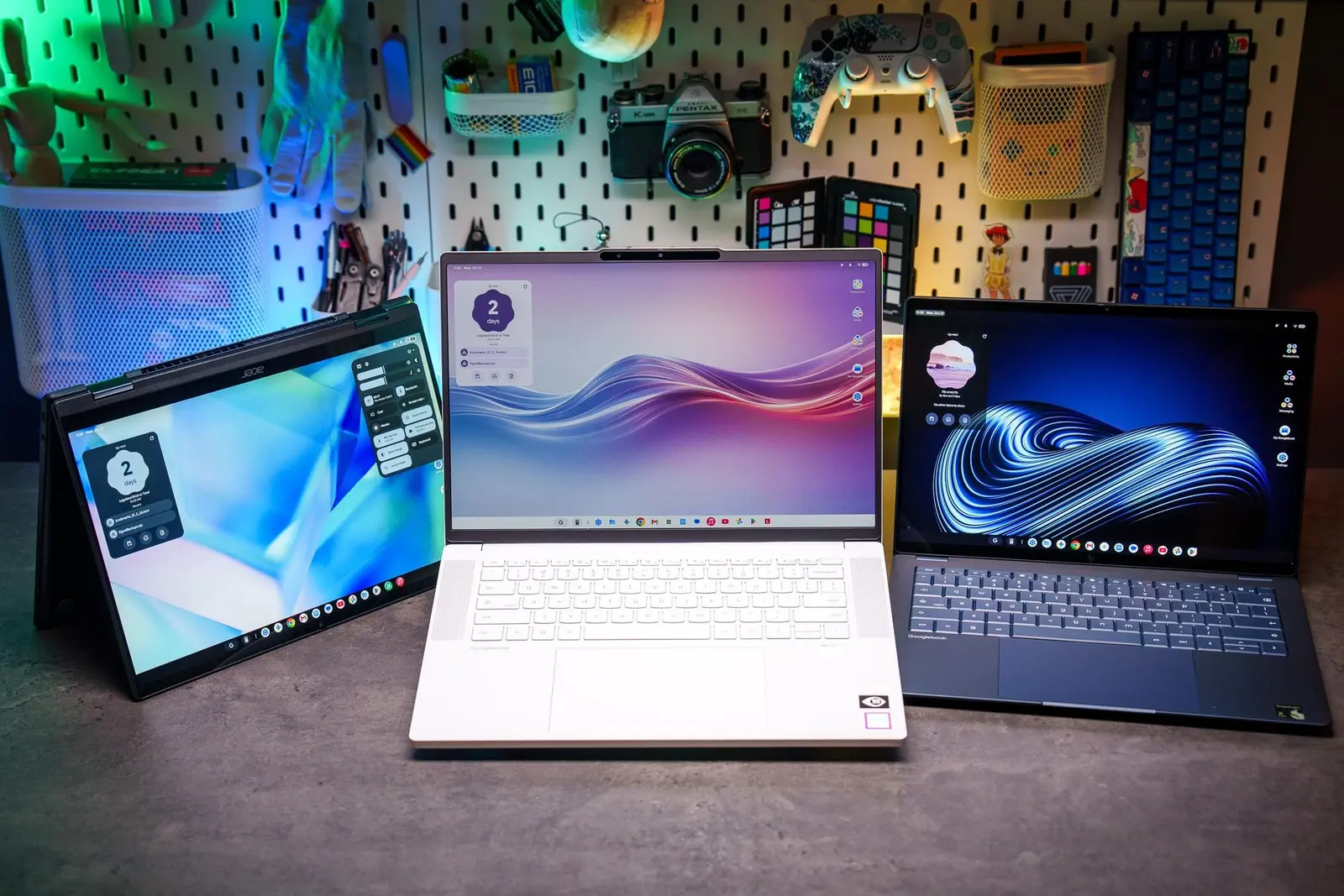
Hardware Strengths Mask Software Weaknesses
Despite impressive hardware components, every Googlebook laptop tested to date suffers from significant software shortcomings. The operating system presents ambitious concepts for integrating laptops with smartphones. However, the current user experience remains frustrating due to persistent bugs and weak application support. Most users feel they are simply using an Android tablet with added peripherals rather than a true computer.
Latest news
 Major AI firms recorded peak lobbying expenses last summer
 Apple Magic Keyboards for iPad Drop to Half Price at Woot
 Microsoft Provides Fix for Broken Exchange Online Apps
 Security Breach at AI Aggregator Exposes 18 Million Files and Private Chats
The core issue lies in the gap between hardware potential and software execution. While the physical devices offer robust specifications, the underlying OS fails to deliver a seamless workflow. Developers have not yet created enough native applications to make the platform viable for daily professional use. This results in a disjointed environment where basic tasks often require workarounds. The lack of mature software ecosystems leaves many users feeling stranded on a promising but incomplete platform.
Reviewers consistently praise the build quality and performance metrics of recent Googlebook models. The laptops feature durable chassis designs and efficient processors that handle standard computing tasks with ease. Battery life remains a standout feature, allowing users to work through long days without frequent recharging. Input devices, including keyboards and trackpads, receive high marks for responsiveness and comfort. These physical attributes suggest that manufacturers understand what consumers want in a portable device. The engineering teams have clearly prioritized reliability and efficiency in their design choices.
Is the Integration Concept Too Ambitious?
However, the software layer undermines these technical advantages significantly. The operating system struggles to maintain stability across different use cases. Minor glitches accumulate quickly, disrupting productivity and eroding user confidence. Application compatibility remains a major hurdle, forcing users to rely on web-based alternatives or legacy tools. This dependency limits the device's utility compared to traditional desktop operating systems. The disconnect between the sleek hardware and buggy software creates a confusing market position for buyers.
The primary vision behind Googlebooks involves deep integration between mobile phones and laptop screens. This concept aims to create a unified ecosystem where files, notifications, and applications flow seamlessly between devices. Proponents argue this approach will eventually simplify digital workflows for modern users. Critics, however, note that the current implementation falls short of this promise. The handoff features often lag or fail entirely during critical moments. Users report losing context when switching between their phone and laptop interfaces. The technology feels experimental rather than polished, which hinders widespread adoption.
Developers continue to push updates to address these integration flaws. Recent patches have improved notification syncing and file transfer speeds. Yet, fundamental issues regarding app support persist. The ecosystem lacks a dedicated store for high-quality, optimized applications. This scarcity forces users to adapt their habits rather than the platform adapting to them. The result is a niche product that appeals only to early adopters willing to tolerate imperfections.
Frequently Asked Questions
Do Googlebooks offer better battery life than competitors? Yes, the efficient hardware design typically provides longer usage times per charge. This advantage remains consistent across most tested models despite software inefficiencies.
Can I run standard desktop applications on these laptops? Most standard desktop apps do not run natively without emulation or web wrappers. Users must rely on browser-based versions or specific mobile-compatible software options.
Is the phone integration feature reliable for daily use? It is currently inconsistent and prone to occasional failures. While basic functions work, complex data transfers often experience delays or errors.
Comments
Leave a comment