The Rise of Phone‑Based Video Capture
A tech writer bought a new webcam last month, only to find that Windows 11 can use an old Android phone as a camera. The author, who has loved computers since 2012, discovered that the phone’s camera outperforms most budget webcams. He shares how a simple setup can save money and improve video quality.
Latest news
 Anker Unveils Playful 45W Charger With Animated Face Display
 Google Docs Web Version Still Missing Native Dark Mode
 Anthropic-Linked Vulnerability Exploited From China, Targets US and Japan
 Text‑Based AI Agents: Your New Digital Assistants
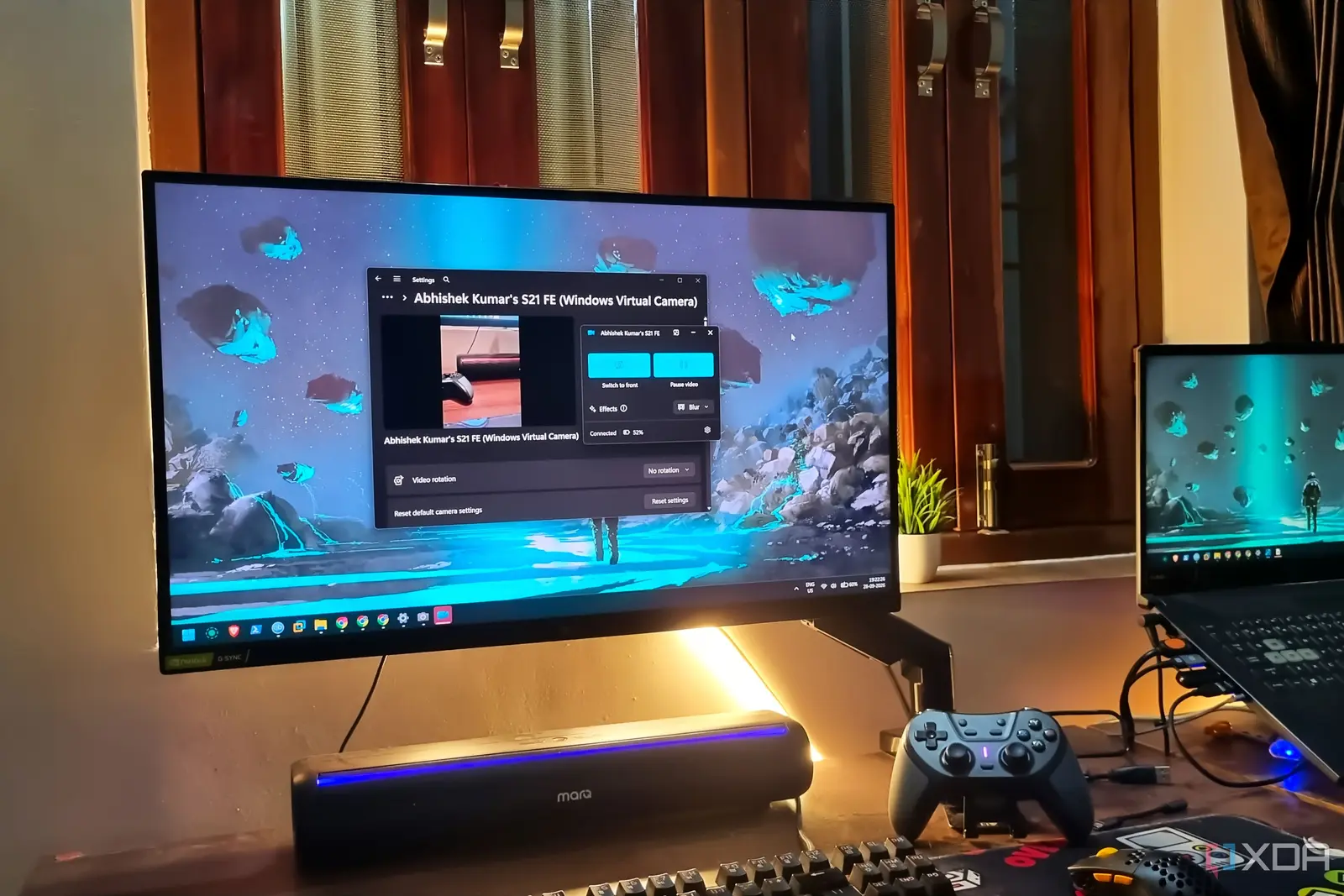
The modern workaround uses the Windows 11 „Your Phone” app, which streams the phone’s camera feed to the PC. The app was designed for messaging, but its camera feature works as a virtual webcam. The author tested the setup during a video conference and noted crisp, natural lighting and a wide‑angle view that the cheap webcam could not match.
Android phones now include high‑resolution sensors, HDR support, and optical image stabilization. When paired with Windows 11, these features become a powerful video solution. The author explains that the phone’s camera is controlled by the PC, allowing users to adjust focus and exposure through the Windows interface.
The setup requires a USB cable and a quick installation of the „Your Phone” app from the Microsoft Store. Once connected, the phone’s camera appears in the Windows camera list, ready for use in Zoom, Teams, or any video‑chat program. The author notes that the process takes less than five minutes and needs no additional drivers.
Is Your Old Phone Enough for Modern Calls?
The price difference is striking. A decent webcam can cost $60 or more, while the author’s old phone was no longer needed for its original purpose. By repurposing the device, he avoided a new purchase and gained a higher‑quality video feed.
Many users wonder if an older phone can deliver the same performance as a new webcam. The author tested devices ranging from a 2015 model to a recent mid‑range phone. All performed well, with the newer models offering slightly better low‑light performance.
He found that the phone’s built‑in microphone also improved audio quality compared to the cheap webcam’s mic. The only limitation was the need for a stable USB connection; wireless options are still experimental.
The Windows 11 camera settings allow users to toggle between the phone’s front and rear cameras, giving flexibility for different meeting styles. This feature was highlighted as a major advantage over static webcams.
The author concludes that for most home‑office users, an old smartphone can replace a new webcam without sacrificing quality. The setup is cost‑effective, easy to deploy, and leverages existing hardware.
Frequently Asked Questions
The broader implication is a shift in how we approach video capture. As smartphones continue to improve, they may become the default peripheral for video calls, reducing the need for dedicated webcams. This trend could drive manufacturers to create more integrated solutions, such as dedicated phone‑to‑PC adapters.
Can any Android phone be used as a webcam? Most Android phones can work with Windows 11’s „Your Phone” app. The phone should run a recent Android version and have USB debugging enabled.
What are the limitations of using a phone as a webcam? The main limitation is the need for a stable USB cable; wireless streaming is still experimental and may introduce latency.
Does Windows 11 support this feature for all video‑chat apps? Yes. Once the phone’s camera appears in the Windows camera list, any application that uses the default webcam will recognize it.
Comments
Leave a comment