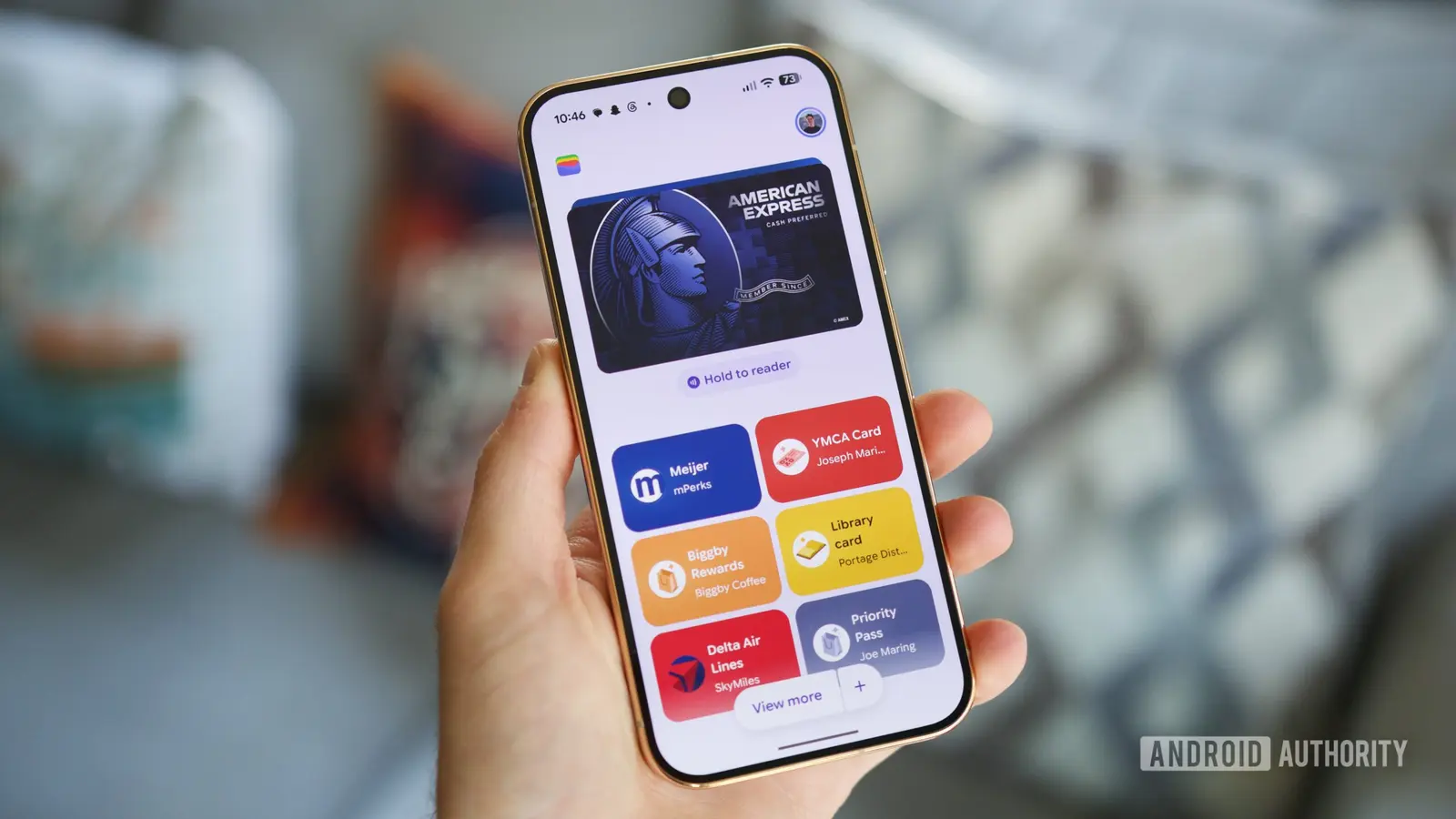
Configuring Your Digital Wallet for Global Use
Using your Android phone for international purchases is simpler than many travelers realize. By setting up Google Wallet before your departure, you can tap to pay at millions of terminals worldwide. This digital convenience eliminates the need to carry physical cards or large amounts of foreign currency during your upcoming overseas trips.
Latest news
 Smart TVs frequently lose their Wi-Fi connection, leaving viewers staring at a spinning loading icon
 Why Ignoring Car Software Updates Is Risky
 Apple's foldable iPhone Duo introduces dual-display multitasking capabilities
 FCC Weighs Reciprocal Limits on Foreign Satellite Firms
Google has streamlined its mobile payment ecosystem to ensure compatibility with most contactless point-of-sale systems. Once you link your preferred credit or debit card to the application, your phone acts as a secure digital wallet. The technology relies on Near Field Communication to transmit encrypted payment data safely to the merchant's reader.
Before you leave home, ensure your device is fully updated and your banking app is linked to Google Wallet. Open the application and verify that your primary payment method is set as the default for NFC transactions. It is also wise to notify your bank of your travel dates to avoid fraud alerts.
Is Your Device Ready for International Transactions?
Many international retailers now prioritize contactless payments over traditional chip-and-pin methods. When you arrive at a register, look for the universal contactless symbol. Simply wake your phone, hold it near the terminal, and wait for the confirmation checkmark to appear on your screen.
To ensure a smooth experience, check your phone’s settings to confirm that NFC is enabled. Some older devices may require a manual toggle in the connection menu. Always carry a physical backup card just in case a specific merchant does not support digital wallets or if your battery dies.
Frequently Asked Questions
Mastering these digital tools allows for a seamless travel experience. As mobile payments become the global standard, physical wallets are becoming increasingly obsolete for everyday purchases. Embracing this technology now will save you time and reduce the logistical stress of managing multiple currencies while you are on the move.
What should I do if a terminal refuses my digital payment? If a transaction fails, ensure your phone is unlocked and the NFC feature is active. If the issue persists, use your physical backup card and contact your bank to verify there are no international blocks on your account.
Do I need an active internet connection to pay? No, you do not need a live data connection to complete a transaction. Your phone stores the necessary encrypted credentials locally, allowing you to pay even when you are offline or in airplane mode.
Comments
Leave a comment