While some developers have updated their interfaces for tablet-like use
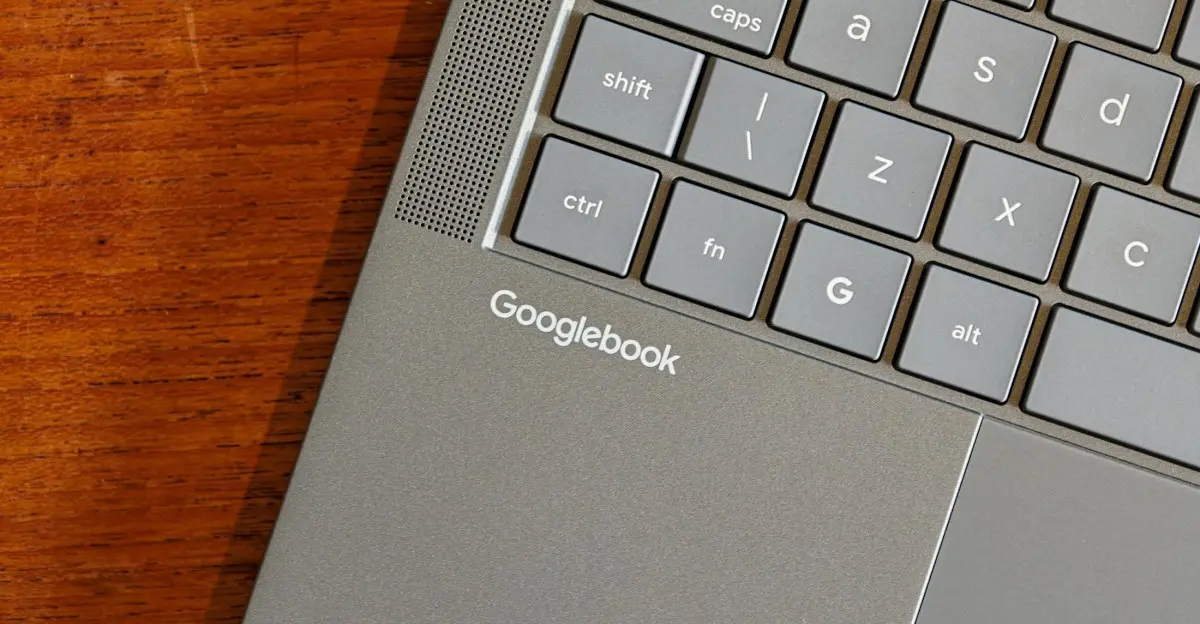
My first week with Google’s new Android-based laptops has been uneven, marked by moments of genuine usefulness alongside persistent technical hiccups. After receiving a review unit last Monday, I’ve spent several days navigating the hybrid experience of running Android apps on laptop hardware, encountering both smooth multitasking and unexpected crashes that disrupted workflow. The devices aim to merge mobile flexibility with desktop productivity, offering access to the Google Play Store alongside traditional laptop functions. Early impressions show strengths in media consumption and lightweight tasks like email or note-taking, where Android’s touch-optimized apps shine. However, performance lags when switching between resource-heavy applications, and certain productivity software either lacks desktop optimization or fails to run consistently, revealing gaps in the current implementation. How Well Do Android Apps Adapt to Laptop Screens?
Latest news
 Apple Unleashes Record‑Low Prices on MacBook Pro and Audio Gear
 Ugreen NASync DXP8800 Ultra and Plus Models Compared for Home and Office Use
 NordVPN Expands SMS Scam Protection to iPhone, Launches Free Robocall Blocker
 AI Infrastructure Showdown: Which Platform Wins the Race?
Many apps designed for phones struggle to scale properly on larger displays, resulting in awkward layouts or wasted screen space.
While some developers have updated their interfaces for tablet-like use, others remain locked in portrait mode or refuse to resize, forcing users into suboptimal viewing angles. This inconsistency undermines the promise of a seamless transition from mobile to laptop use. Can Google Fix the Core Usability Issues Before Launch? Feedback from early testers highlights recurring complaints about keyboard shortcuts not translating across apps and inconsistent trackpad behavior. Google has acknowledged these challenges in internal forums, stating that upcoming updates will focus on improving app compatibility and refining input methods. Whether these fixes arrive in time to shape consumer perception remains uncertain, as the company prepares for a broader rollout later this quarter. Frequently Asked Questions What makes these Android laptops different from Chromebooks?
Unlike Chromebooks, which run Chrome OS and prioritize web apps, these devices run a full Android environment, allowing direct access to mobile apps without emulation or cloud dependencies. Will users be able to install Linux or Windows alongside Android? Current models do not support dual-boot configurations, and Google has not announced plans to enable alternative operating systems on these devices at launch. Are Android laptops intended to replace traditional laptops? Google positions them as complementary devices suited for mobility and app-centric tasks, not as direct replacements for high-performance laptops used in professional workloads requiring specialized software.
Comments
Leave a comment