Wireless Graphics: A New Frontier for Budget Gaming?
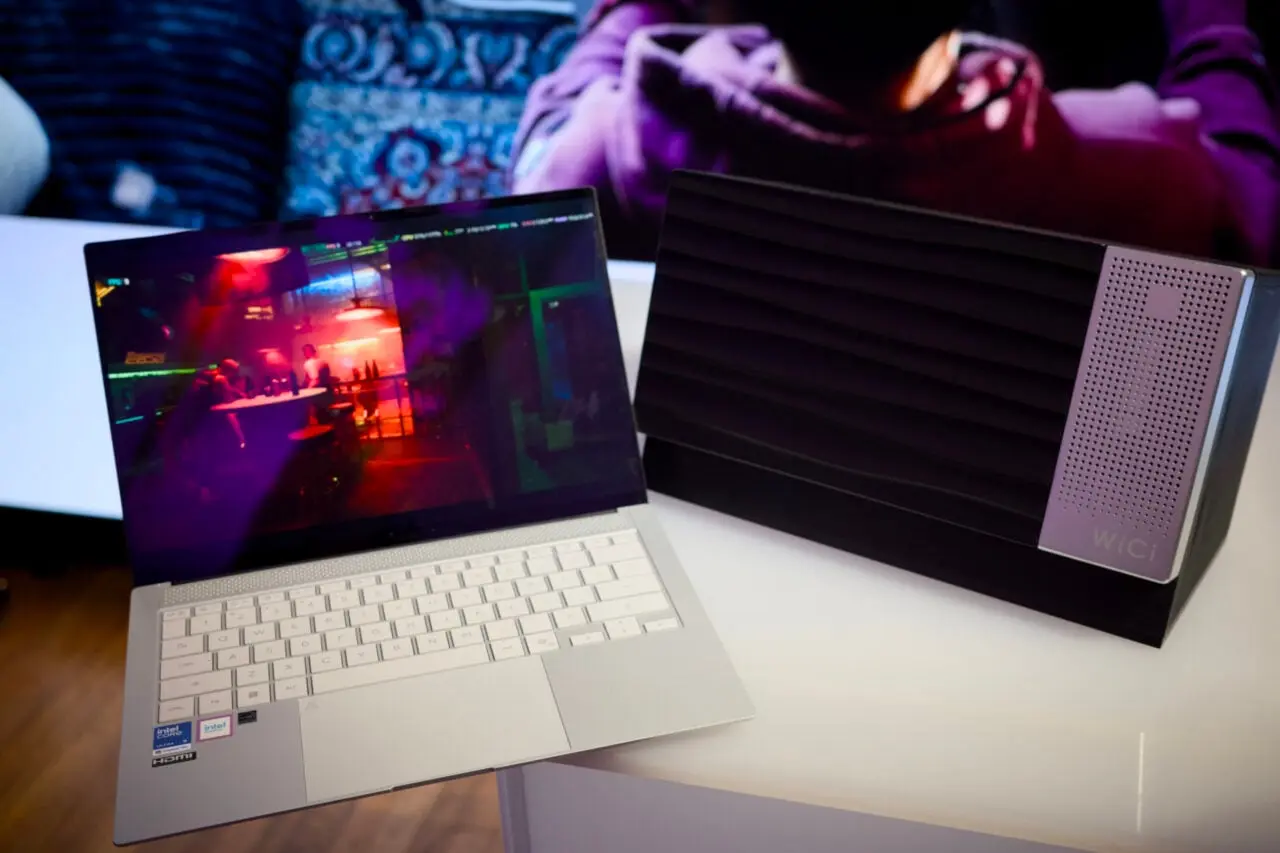
A new device called the WiCi One claims to provide the GPU performance needed for modern games and AI workloads by streaming graphics over Wi‑Fi from a small external unit. The product targets users who want to upgrade a low‑end laptop without buying a new machine or subscribing to a cloud service. The company says the system can deliver up to 8 GB of VRAM and 4,000 TFLOPs of compute power over a 5 GHz connection, making it a potential alternative to cloud‑based AI platforms.
Latest news
 Apple Unleashes Record‑Low Prices on MacBook Pro and Audio Gear
 Ugreen NASync DXP8800 Ultra and Plus Models Compared for Home and Office Use
 NordVPN Expands SMS Scam Protection to iPhone, Launches Free Robocall Blocker
 AI Infrastructure Showdown: Which Platform Wins the Race?
The WiCi One is a compact enclosure that houses a powerful GPU and a high‑speed wireless adapter. It connects to a laptop via a USB‑C port, and the GPU’s output is streamed to the laptop’s display through Wi‑Fi. According to the manufacturer, the device can support 4K gaming at 60 fps and run demanding AI models locally, avoiding the latency and data‑cost issues of cloud services. Early demos show the system working with a mid‑range laptop, but the company admits that real‑world performance will vary with signal strength and interference.
The idea of offloading graphics processing to a separate unit is not new. Traditional eGPUs plug into Thunderbolt 3 or 4, but they require costly adapters and can suffer from bandwidth bottlenecks. The WiCi One proposes that Wi‑Fi can bridge this gap, offering a cheaper and more flexible solution. Proponents argue that a wireless link eliminates the need for a dedicated docking station, allowing gamers to use any laptop with a USB‑C port. Critics point out that Wi‑Fi bandwidth is limited compared to wired connections, and that latency could undermine the gaming experience, especially for competitive titles.
In a recent interview, the product’s lead engineer said, „We’re pushing the limits of 802.11ax to deliver a smooth experience. The key is to keep the packet loss below 1 % and maintain a round‑trip time under 5 ms.” He added that the WiCi One uses adaptive modulation and beamforming to maintain a stable connection in typical home environments. Benchmark tests on a 1080p monitor show a 15 % drop in frame rates compared to a wired eGPU, but the device still achieves 60 fps on many games at medium settings.
Is This a Viable Alternative to Cloud AI Services?
Cloud AI platforms, such as those offered by major tech firms, promise unlimited GPU access for a monthly fee. They appeal to researchers and developers who need high‑performance compute without owning hardware. The WiCi One targets a different market: hobbyists and gamers who want instant, local performance without paying a subscription. The company claims that the device costs about $1,200, roughly half the price of a comparable cloud subscription for a year. However, the initial investment and the need for a compatible laptop may deter some users.
Potential buyers should consider the trade‑offs. A local GPU avoids data transfer costs and privacy concerns, but it also requires maintenance and may become obsolete faster than cloud services. Moreover, the WiFi link’s reliability can be affected by household Wi‑Fi traffic, potentially limiting the device’s usefulness in busy environments. The company plans to release firmware updates to improve stability and support newer Wi‑Fi standards as they emerge.
What is the minimum laptop requirement for the WiCi One? The device works with any laptop that has a USB‑C port and supports 5 GHz Wi‑Fi. Performance is best on systems with at least 8 GB of RAM and a recent CPU.
Frequently Asked Questions
Will the WiFi connection cause noticeable lag in gaming? Benchmarks show a small increase in latency, typically 3–5 ms, which is acceptable for most games but may be noticeable in fast‑paced esports titles.
Can the WiCi One be used for professional AI workloads? Yes, the GPU inside the enclosure can run machine‑learning models locally. Users report successful training of small neural networks, though large‑scale projects may still favor cloud resources.
Is the device compatible with all operating systems? Drivers are available for Windows 10/11 and macOS 12+. Linux support is planned for the next firmware release.
What happens if the WiFi signal drops during a session? The system automatically falls back to a lower resolution and refresh rate to maintain a stable connection, preventing crashes or freezes.
Comments
Leave a comment