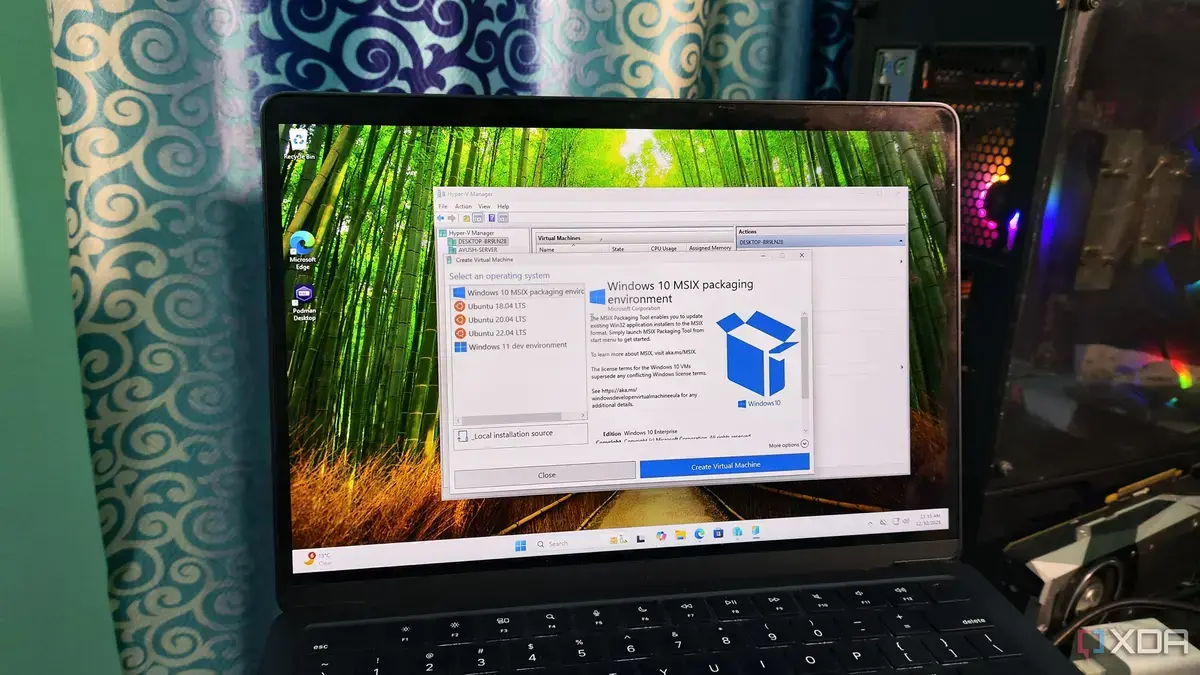
Hidden Power: Windows' Built-in Virtualization
Many PC users are unaware their Windows operating system already contains a superior virtualization tool. This built-in hypervisor offers better performance than popular third-party options like VirtualBox. It has been a standard feature of Windows for some time, providing robust capabilities for running virtual machines.
Latest news
 California Imposes Penalties for Robotaxis Obstructing Emergency Services
 Meta’s AI Agent Muse Builds Comprehensive Dossiers on Close Contacts
 The State of Cybersecurity in 2026: Key Segments, Insights, and Innovations
 Why the Rumored iPhone Duo Excites Android Foldable Fans
This discovery challenges common perceptions among those who frequently use virtual environments. Many opt for external software, not realizing a more efficient solution is already at their fingertips. The native Windows tool leverages deeper system integration for optimal operation.
The native hypervisor in Windows is designed to work seamlessly with the operating system's core architecture. This deep integration allows for more efficient resource management and faster execution of virtualized tasks. Users can experience improved speed and stability when running guest operating systems. Unlike third-party applications, the Windows hypervisor avoids potential conflicts or performance bottlenecks. It is optimized to utilize hardware virtualization features directly.
Why Haven't More People Adopted It?
Despite its advantages, the Windows hypervisor remains largely underutilized by the general public. One reason is a lack of awareness; many users simply don't know it exists or understand its benefits. Microsoft has not heavily promoted this feature to the average consumer. Another factor could be the established popularity of alternatives like VirtualBox, which have built large user bases over years. The perceived complexity of setting up native virtualization might also deter some users.
For those seeking peak performance in virtual environments, exploring the native Windows hypervisor is highly recommended. It offers a powerful, integrated solution that often surpasses external options. This could lead to a significant shift in how users approach virtualization on their personal computers.
Frequently Asked Questions
Why is the Windows hypervisor considered better than VirtualBox? The Windows hypervisor offers deeper integration with the operating system and hardware, leading to better performance and resource management. It is optimized to run virtual machines more efficiently.
Is the Windows hypervisor difficult to set up? While it might seem more complex initially, setting up the native Windows hypervisor is straightforward once you understand the process. Many guides are available to assist users with activation and configuration.
Does using the Windows hypervisor require special hardware? The Windows hypervisor utilizes hardware virtualization features commonly found in modern processors. Most contemporary PCs are equipped to support this technology without additional hardware purchases.
Comments
Leave a comment