Can WSL Replace Traditional Linux VMs?
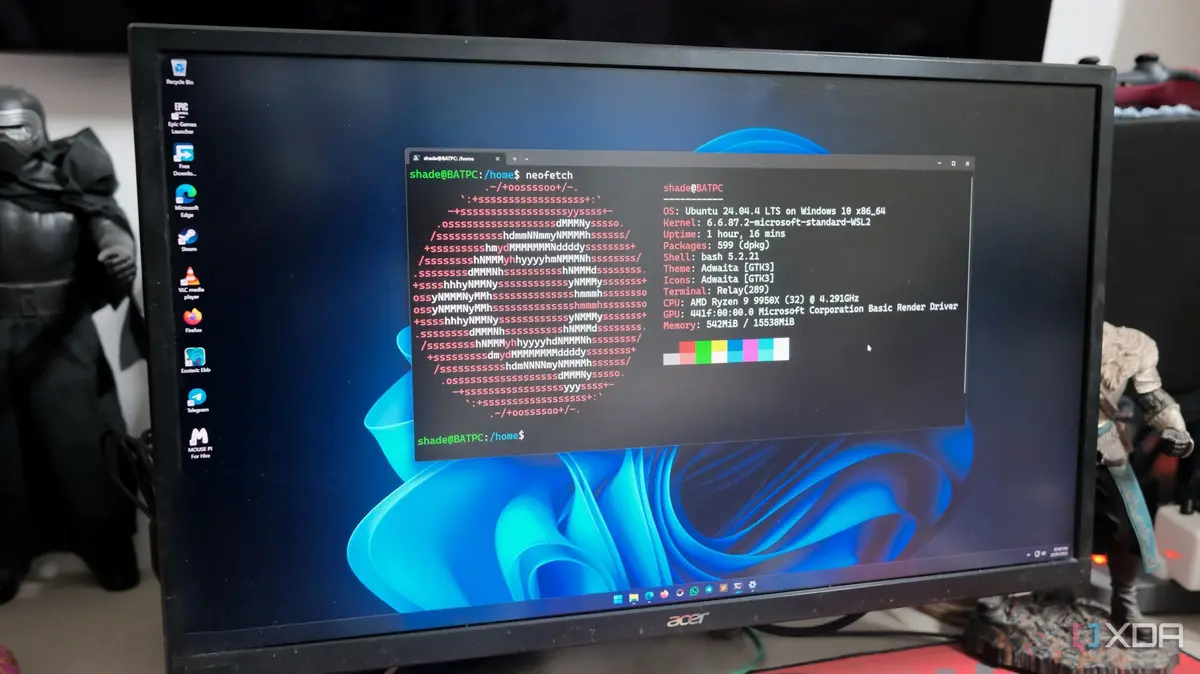
A developer's switch from a Linux virtual machine to Windows Subsystem for Linux (WSL) has transformed their Windows experience. Abhishek Kumar Mishra, a computing author, made the switch and discovered a more efficient way to run Linux on Windows. Bridging the Gap Between Windows and Linux Mishra found WSL to be a lightweight solution that allowed him to enjoy the benefits of both operating systems. By ditching his Linux VM, he gained a more seamless development experience, with easy access to Linux tools and commands.
Latest news
 Europe's Multilingual Reality Exposes AI Security Gaps
 Critical Flaw in ChatGPT Agent Fixed by OpenAI
 Dell XPS 13 (2026) Review: A PC Revolution
 Intel Needs to Leapfrog Rivals, Says CEO
Mishra's experience suggests that WSL can be a viable alternative to traditional Linux virtual machines for many developers. With WSL, developers can run Linux applications directly on Windows, eliminating the need for a separate virtual machine. This integration enables a more streamlined workflow, with improved performance and reduced overhead.
The adoption of WSL is likely to have significant implications for developers who have traditionally relied on Linux or macOS for their work. As WSL continues to evolve, it may become an increasingly attractive option for developers looking to work on Windows.
Frequently Asked Questions
What is WSL, and how does it work? WSL is a compatibility layer that allows Linux binary executables to run natively on Windows. It provides a Linux-compatible kernel interface.
Is WSL suitable for production environments? WSL is designed for development and testing purposes, but its suitability for production environments depends on specific use cases.
Can I run graphical Linux applications on WSL? Yes, with the latest versions of WSL, users can run graphical Linux applications directly on Windows, further enhancing the overall experience.
Comments
Leave a comment