Budget-Friendly Archiving Strategies
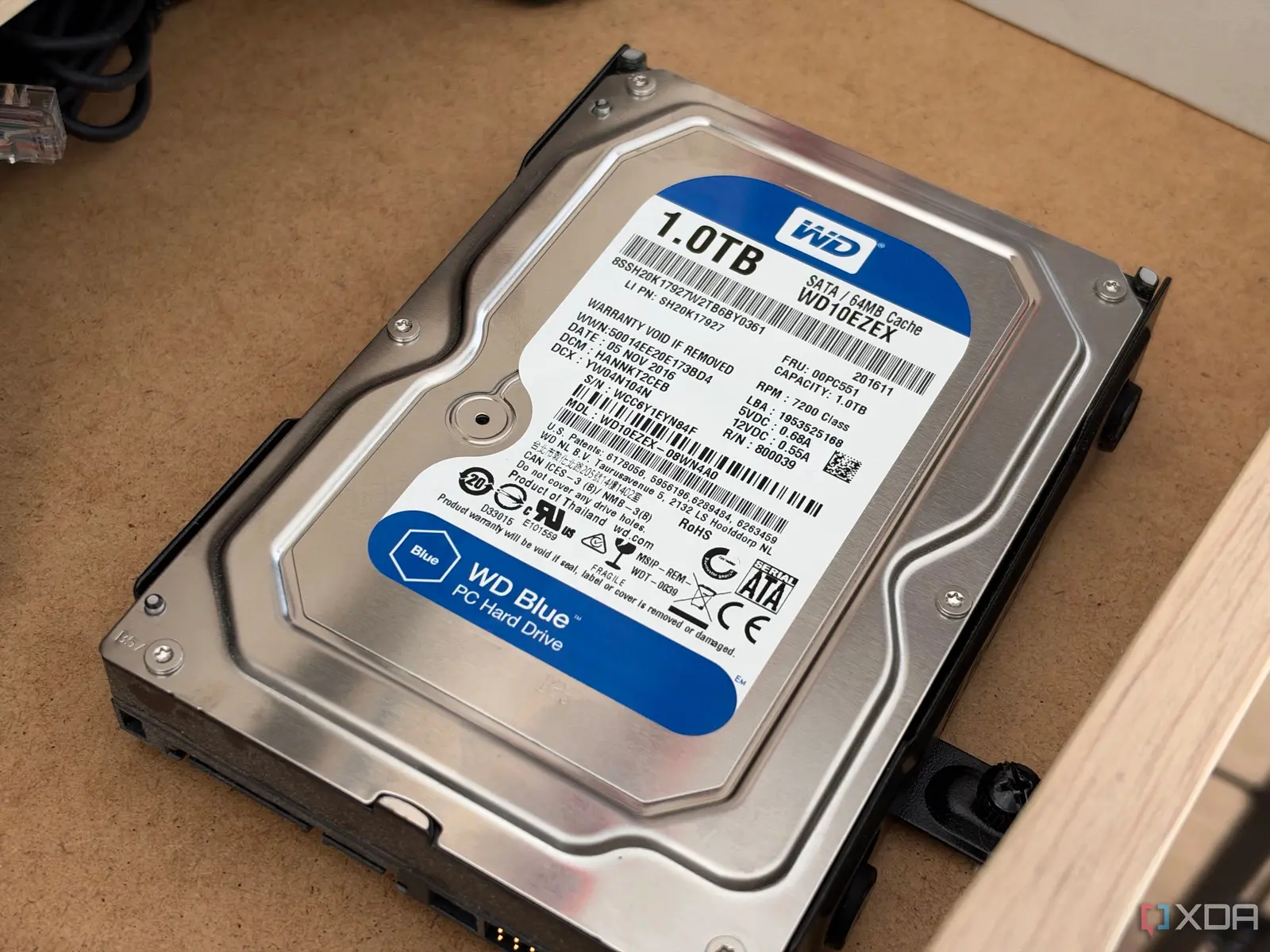
A tech enthusiast has successfully migrated years of rarely accessed digital data onto two aging SATA hard drives. These devices, comprising a 1TB and a 2TB unit, now house extensive archives of gaming content. The transition removes this low-frequency data from high-speed primary storage. This shift optimizes system performance for daily tasks. The user acquired these drives at minimal cost, making them an economical solution for long-term data retention.
Latest news
 Major AI firms recorded peak lobbying expenses last summer
 Apple Magic Keyboards for iPad Drop to Half Price at Woot
 Microsoft Provides Fix for Broken Exchange Online Apps
 Security Breach at AI Aggregator Exposes 18 Million Files and Private Chats
The archived material includes numerous Counter-Strike demo files, video clips, game backups, and save files. Access to these files occurs approximately twice per year. Previously, this data occupied the same fast storage media used for active applications. This arrangement created an inefficient use of premium hardware resources. Moving the data to slower SATA drives resolves this imbalance. The older drives provide sufficient capacity without demanding high-speed interfaces.
The financial aspect of this setup is particularly noteworthy. The two SATA drives were purchased at a negligible price point. This makes them ideal candidates for cold storage purposes. Users do not require cutting-edge technology for data they access infrequently. Instead, reliability and capacity become the primary concerns. Older mechanical drives often meet these criteria effectively. By separating hot and cold data, systems can maintain higher speeds for current workloads. This approach extends the useful life of faster SSDs or NVMe drives. It prevents them from filling up with dormant files.
Why Slower Media Outperforms Fast Storage Here
The decision highlights a broader trend in personal computing management. Many users keep large libraries of media and games on their fastest drives. This practice slows down boot times and application loading. Identifying data that remains untouched for months or years allows for easy migration. SATA interfaces remain widely compatible across modern systems. No special adapters or complex configurations are typically needed. The simplicity of the process encourages more people to adopt similar archiving habits. Cost efficiency remains a major driver for this method.
Using slow drives for cold storage might seem counterintuitive at first glance. However, speed is irrelevant when retrieval happens only a few times annually. The primary goal is safe, accessible storage at the lowest possible cost. High-performance solid-state drives offer superior read and write speeds. Yet, they consume more power and generate more heat during idle periods. Mechanical SATA drives draw less power when spinning down. They also offer higher density per dollar compared to equivalent SSD capacities. For archival purposes, this trade-off favors the mechanical option significantly. Users benefit from freeing up valuable fast storage space. This creates room for new projects and active software.
Looking ahead, this strategy offers a sustainable path for managing growing digital libraries. As file sizes increase, relying solely on fast storage becomes financially prohibitive. Implementing a tiered storage system ensures optimal resource allocation. Enthusiasts can continue using older hardware without discarding it. This reduces electronic waste while maintaining functional utility. The method proves that expensive upgrades are not always necessary for effective data management. Simple, cost-effective solutions often outperform complex, pricey alternatives for specific tasks.
Frequently Asked Questions
Are old SATA drives reliable enough for long-term storage? Yes, provided they are in good physical condition. Regular health checks can monitor for bad sectors or wear. Keeping them powered on occasionally helps prevent head sticking.
Can I store any type of data on these drives? You can store any non-critical data that you access infrequently. This includes photos, videos, backups, and game libraries. Avoid storing your only copy of essential documents on a single old drive.
How much does it cost to set up this system? The cost is minimal if you already own the drives. New older-model SATA drives are often available at very low prices. The total expense is significantly lower than buying equivalent fast storage.
Comments
Leave a comment