How TrueNAS Enabled Smooth Integration
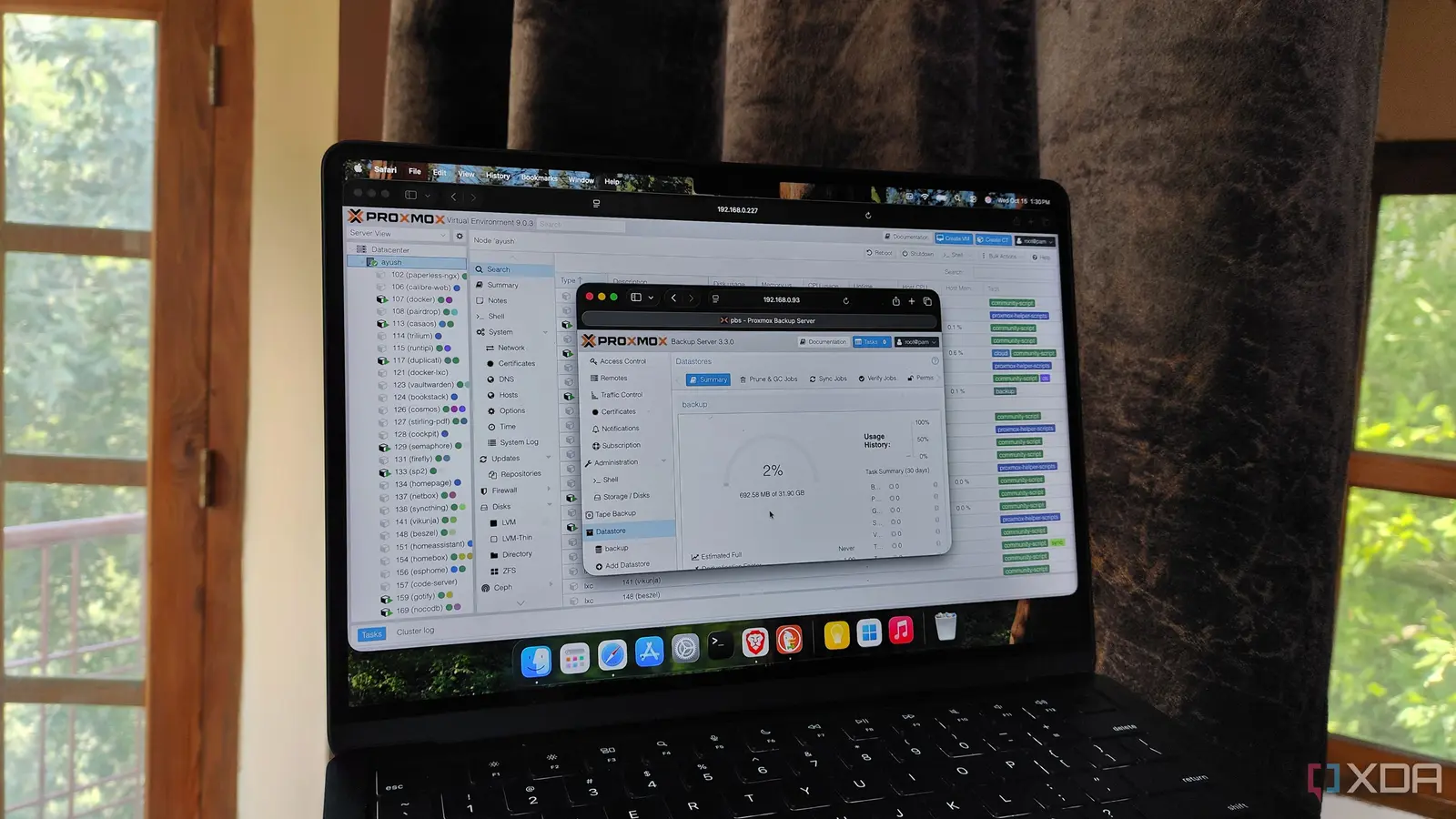
Ayush Pande relocated his essential Proxmox Backup Server from a dedicated PC to his TrueNAS system, eliminating the need for separate hardware. This change took place recently as part of his ongoing effort to streamline his home lab setup. By integrating the backup solution directly into his network-attached storage, he addressed persistent issues with device sprawl and power consumption. The move reflects a growing trend among enthusiasts seeking efficient, centralized management of virtualization and data protection tools.
Latest news
 Why the Rumored iPhone Duo Excites Android Foldable Fans
 AMD's Canceled Ryzen 9 5900X3D Leaks Online
 California Subpoenas OpenAI Over Autonomous AI Hacking Risks
 Nvidia-Backed UK Supercomputer Faces Multi-Year Power Delay
The decision stemmed from frustration with maintaining an additional machine solely for backup operations, which added complexity and cost. TrueNAS’s robust plugin system and container support allowed seamless deployment of Proxmox Backup Server without compromising performance. Pande noted that the TrueNAS environment provided sufficient resources, including adequate RAM and processing power, to handle backup tasks reliably. He emphasized that the integration reduced noise, heat, and cable clutter in his workspace while maintaining full functionality for backing up virtual machines and containers.
What Are the Long-Term Benefits?
Pande highlighted that TrueNAS Scale’s Linux-based foundation made it compatible with standard Debian packages used by Proxmox Backup Server. He configured the system using a combination of jails and custom scripts to ensure proper service execution and data persistence. Storage pools on TrueNAS were leveraged directly for backup repositories, eliminating redundant data copying. This approach not only saved space but also improved backup throughput by utilizing the underlying ZFS file system’s efficiency. He reported that backup jobs now run faster and with fewer interruptions compared to the standalone PC setup.
Beyond immediate convenience, the shift offers scalability and easier maintenance. Updates to both TrueNAS and Proxmox Backup Server can now be managed through a unified interface, reducing administrative overhead. Pande mentioned that future expansions, such as adding more storage or increasing backup retention, will be simpler without needing to provision new hardware. He also noted improved system reliability, as TrueNAS’s enterprise-grade features like snapshots and scrubbing now indirectly protect backup data. The consolidation has lowered his overall energy usage, contributing to a quieter and more efficient home lab.
Is it safe to run Proxmox Backup Server on TrueNAS? Yes, as long as the system meets minimum resource requirements and storage is properly configured, the setup is stable and secure for regular backup operations.
Frequently Asked Questions
Will this affect the performance of other TrueNAS services? Pande observed no noticeable impact on file sharing or virtualization workloads, thanks to resource isolation and adequate system headroom.
Can I still use Proxmox VE alongside this setup? Absolutely, the Proxmox Backup Server on TrueNAS continues to back up virtual machines from his separate Proxmox VE cluster without issues.
Comments
Leave a comment