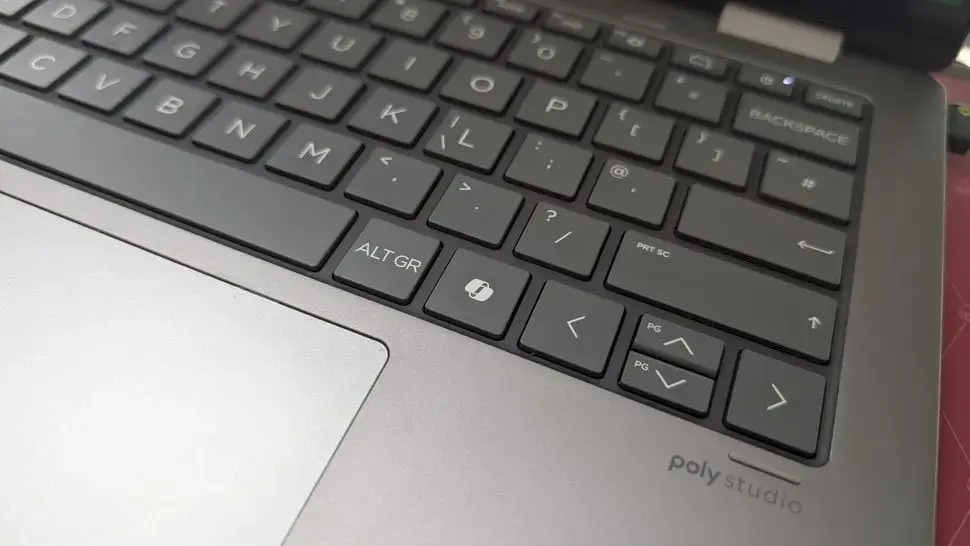
Can You Customize the Copilot Key?
Microsoft is testing a new option for Windows 11 users who dislike the Copilot key on their keyboards. The feature is currently being tested, and details are still emerging. Windows 11 users have been receiving new keyboard layouts with the Copilot key.
Latest news
 The iPhone Duo Reimagines Smartphone Navigation
 Improper Redaction Exposes Google Data Center Resource Use in Lincoln
 I fed my messy Obsidian notes to Claude Code and it finally organized my digital brain
 Your Wi‑Fi Performance Is Suffering From a Simple Mistake
The Copilot key is a new addition to Windows 11 keyboards, designed to launch Microsoft's AI-powered assistant. However, not everyone is pleased with this new feature. Some users may find it inconvenient or unnecessary. Microsoft appears to be listening to user feedback.
Will Microsoft Listen to User Feedback?
If the testing is successful, users may be able to remap the Copilot key to perform a different action or do nothing at all. This would give users more control over their keyboard layout. The change is likely to be welcomed by those who find the Copilot key annoying or unnecessary.
Microsoft's decision to test this feature suggests that the company is open to user feedback and willing to make changes to improve the user experience. The testing is currently limited, but it could lead to a wider rollout if successful.
Frequently Asked Questions
The potential to remap or disable the Copilot key is a significant development. It shows that Microsoft is willing to listen to user concerns and make changes accordingly. If the feature is rolled out widely, it could improve the overall user experience for Windows 11 users.
The outcome of the testing will be closely watched by Windows 11 users. If successful, it could set a precedent for future keyboard customizations.
Comments
Leave a comment