A Rainbow of Options
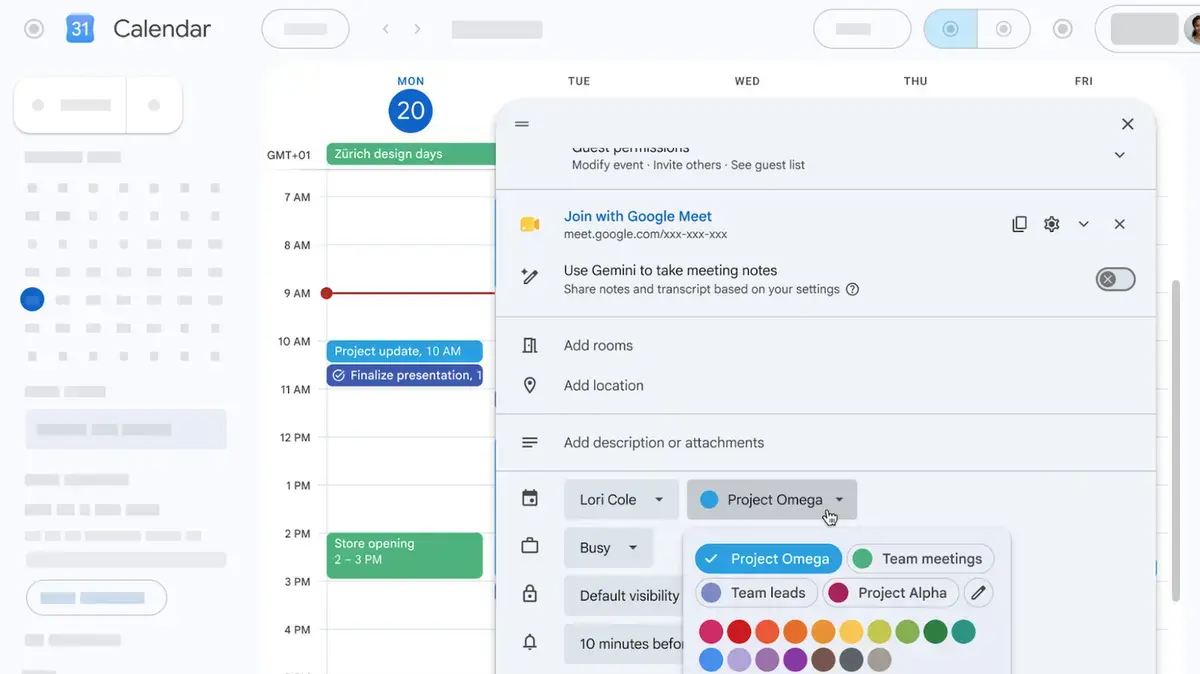
Google is enhancing its calendar platform with a significant update, allowing users to choose from a much broader palette for their events. The change is effective immediately. This development is a welcome improvement for users seeking a more personalized and organized calendar experience.
Latest news
 The iPhone Duo Reimagines Smartphone Navigation
 Improper Redaction Exposes Google Data Center Resource Use in Lincoln
 I fed my messy Obsidian notes to Claude Code and it finally organized my digital brain
 Your Wi‑Fi Performance Is Suffering From a Simple Mistake
The Google Calendar platform previously limited users to 11 predefined colors for their events. This restriction often led to difficulties in distinguishing between multiple events, particularly for busy users. The new update expands the available colors to 200, providing a much-needed solution.
Can You Handle the Color Overload?
With 200 colors to choose from, users can now assign a unique hue to each event, making it easier to visualize their schedules. This feature is particularly useful for individuals with multiple events and appointments. The increased color options enable a more tailored and organized approach to calendar management.
The expanded color palette is expected to be particularly beneficial for users who rely heavily on Google Calendar for their daily planning. By allowing users to customize their event colors, Google is providing a more intuitive and user-friendly experience.
While the increased number of color options offers greater flexibility, it also raises questions about the potential for visual overload. However, with a thoughtful approach to color selection, users can harness the benefits of this feature without compromising the clarity of their calendar.
Frequently Asked Questions
The introduction of 200 event colors marks a significant enhancement to the Google Calendar platform. As users adapt to this new feature, it is likely to become an essential tool for managing complex schedules.
Will I be overwhelmed by the numerous color options? The large number of colors may initially be daunting, but users can develop a personalized color scheme to simplify their calendar. Can I revert to the original 11 colors? The update allows users to choose from the full range of 200 colors, but they can still opt for the original colors if preferred. How do I access the new color options? The expanded color palette is available directly within the Google Calendar event settings.
Comments
Leave a comment