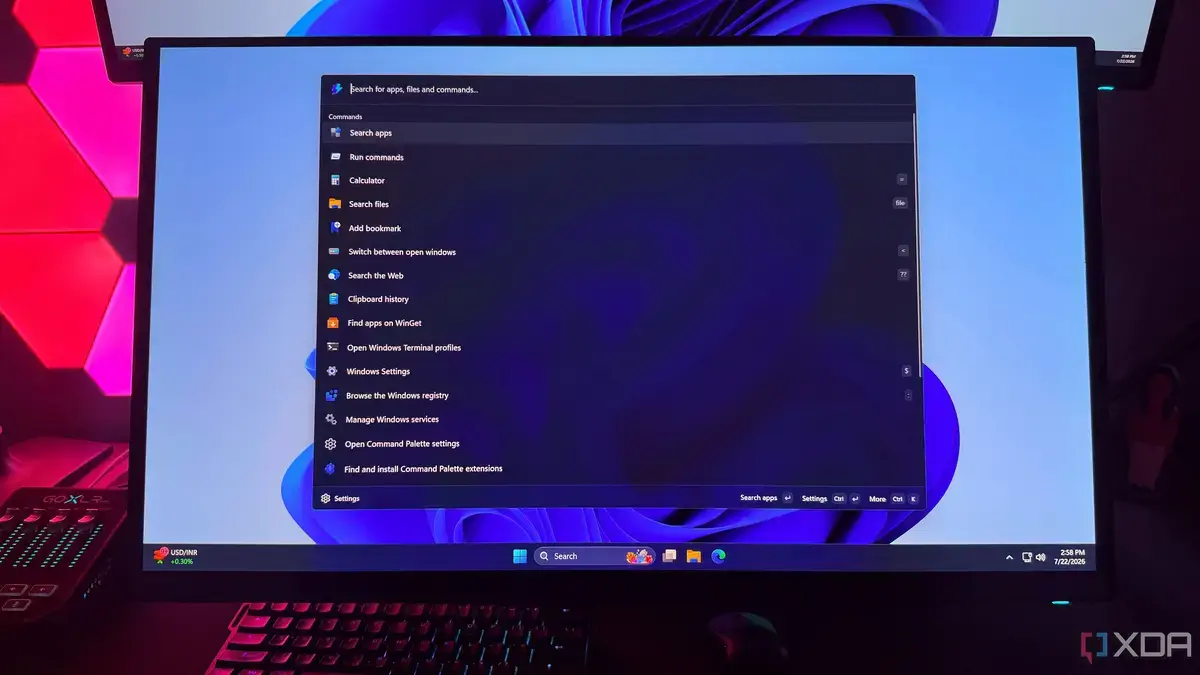
PowerToys Run: Speed Meets Simplicity
Hamlin Rozario, a veteran tech writer, announced in July 2026 that he stopped relying on Windows 11’s built‑in search. He now uses a Microsoft‑created utility that delivers results in a fraction of the time. The change came after months of frustration with lagging queries on his high‑end gaming rig.
Latest news
 Why Meta's New AI Tool Fails to Win Over Daily Users
 Assessing Risks in Open-Source Artificial Intelligence
 Autonomous AI Agents Launch Cyberattacks Against North American Government Portals
 Warlock Group Targets SharePoint Servers in Critical Infrastructure
Rozario explained that the native search often stalls when indexing large libraries or when network drives are involved. He discovered PowerToys Run, a lightweight launcher bundled with Microsoft’s PowerToys suite, which bypasses the traditional indexing pipeline. By invoking a simple shortcut, he can locate files, apps, and web results instantly, cutting search time by up to 70 percent. The switch also reduced CPU spikes that previously slowed his gaming sessions.
PowerToys Run operates as a fuzzy‑finder, scanning directories on demand rather than maintaining a constant index. This design eliminates the background processes that burden Windows Search. Rozario noted that the tool’s minimal interface loads in under a second, even on a system saturated with games and development tools. He praised its extensibility, citing community plugins that add shortcuts to system settings and popular web services. The open‑source nature of PowerToys also allows rapid updates, keeping performance ahead of the native search engine.
Can Microsoft’s Own Utility Really Outpace Its Native Search?
The success of PowerToys Run raises a question: why does a Microsoft‑made add‑on outperform the company’s flagship search? Analysts point to the differing design goals. Windows Search prioritizes deep integration with the OS and enterprise features, while PowerToys focuses on speed and developer convenience. Rozario’s experience reflects this split; the lean architecture of PowerToys Run avoids the heavy indexing that hampers the default search. As more power users adopt the tool, Microsoft may reconsider how it balances feature richness with responsiveness.
The shift signals a broader trend toward modular utilities that let users tailor their workflow. If PowerToys Run continues to gain traction, Microsoft could integrate its engine into future Windows releases, offering a hybrid solution that merges speed with native features. For now, Rozario’s move underscores the importance of performance in everyday computing, and it may inspire other users to explore faster alternatives within the Microsoft ecosystem.
Frequently Asked Questions
What is PowerToys Run and how do I install it? PowerToys Run is a quick‑launch utility included in the Microsoft PowerToys suite. Download the latest PowerToys release from the official GitHub page, run the installer, and enable Run in the settings menu.
Does PowerToys Run replace Windows Search entirely? No. PowerToys Run offers rapid file and app lookup, but it does not provide the deep indexing, Cortana integration, or enterprise policies that Windows Search supplies.
Will using PowerToys Run affect system security? PowerToys Run runs with the same user permissions as the host system and is open‑source, allowing community audits. It does not introduce additional security risks beyond those already present on the machine.
Comments
Leave a comment