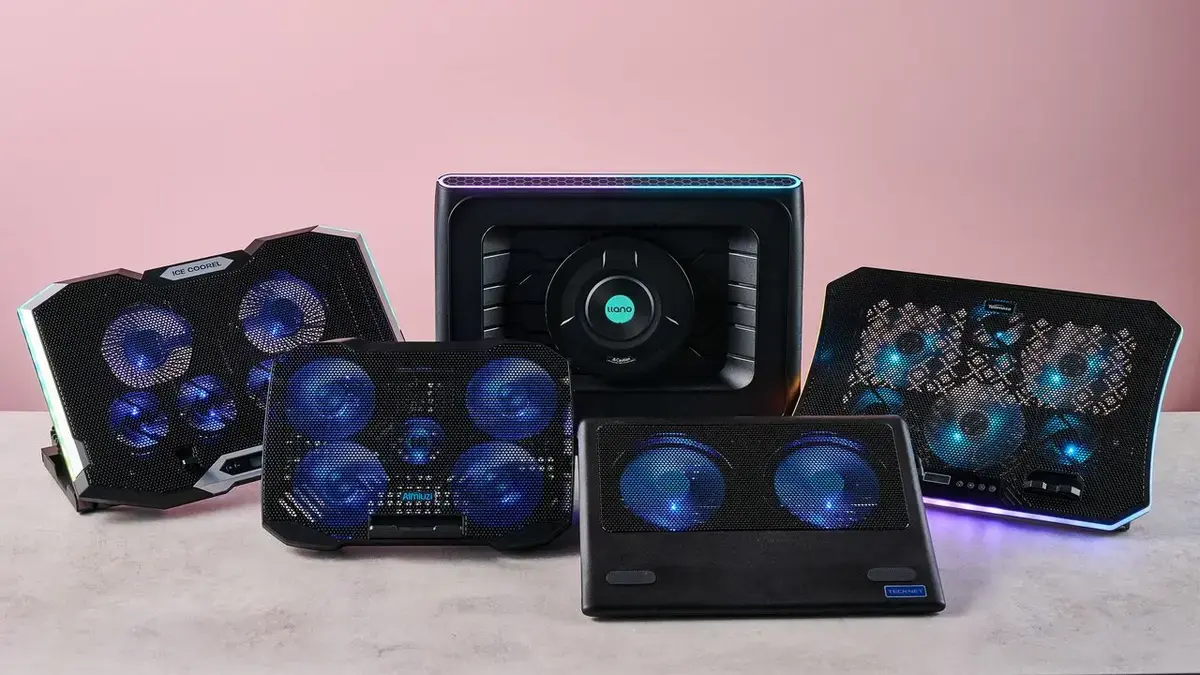
The Top Performer: IceFlow Pro 2‑in‑1
A week-long test in a laboratory heated to 95 °F examined the performance of five popular laptop cooling pads. The experiment, conducted by a freelance tech writer in a university research facility, measured temperature drops, noise levels, and power consumption on three common laptop models. Results were recorded on July 15‑21, offering real‑world data for consumers battling summer heat.
Latest news
 Anker Unveils Playful 45W Charger With Animated Face Display
 Google Docs Web Version Still Missing Native Dark Mode
 Anthropic-Linked Vulnerability Exploited From China, Targets US and Japan
 Text‑Based AI Agents: Your New Digital Assistants
The lab’s scorching environment mimicked an office without air conditioning, forcing laptops to run hotter than usual. Researchers placed each pad under identical conditions, running a benchmark stress test for thirty minutes. Temperature sensors tracked core CPU heat, while decibel meters recorded fan noise. The goal was to identify which pad delivered the greatest cooling without sacrificing battery life or adding excessive sound.
The IceFlow Pro 2‑in‑1 emerged as the clear winner, lowering CPU temperatures by an average of 12 °C compared with laptops running unaided. Its dual‑fan design, powered by a USB‑C hub, delivered steady airflow across the laptop’s base. Testers noted the pad’s slim profile, which fit easily on cramped desks. „The temperature drop was immediate,” said one participant, „and the fan remained whisper‑quiet even at full speed.” Power draw increased by only 4 W, preserving battery life for most users.
Does Size Matter? Which Pad Fits Most Laptops?
Size proved a critical factor for compatibility. Larger pads, such as the ChillMaster XXL, covered bigger chassis but added bulk, making them less portable. Smaller units like the NanoCool Lite struggled to reach the laptop’s hottest spots, offering only a 4 °C reduction. The IceFlow’s adjustable height mechanism allowed users to raise the laptop for ergonomic comfort while maintaining optimal cooling. Data showed that pads matching the laptop’s footprint delivered the best thermal performance without compromising stability.
Overall, the study highlighted that a well‑designed cooling pad can prevent thermal throttling and extend hardware lifespan during heatwaves. Consumers should prioritize pads with efficient airflow, low power draw, and ergonomic features. As summer temperatures climb, the market is likely to see more innovations targeting silent operation and energy efficiency. Choosing the right pad now can spare users from costly repairs and degraded performance later.
Frequently Asked Questions
How much does a cooling pad actually lower laptop temperature? Most tested pads reduced CPU heat by 5‑12 °C, with premium models achieving the highest drops under sustained load.
Will a cooling pad drain my laptop’s battery quickly? Only high‑power models increased consumption noticeably; the top performer added roughly 4 W, a modest impact for most users.
Are noisy fans a common issue with cooling pads? Noise varies by design; the quietest pads stayed below 35 dB, while larger fans could reach 45 dB, still acceptable for most workspaces.
Comments
Leave a comment