This forced me to evaluate what data actually serves a purpose in daily life
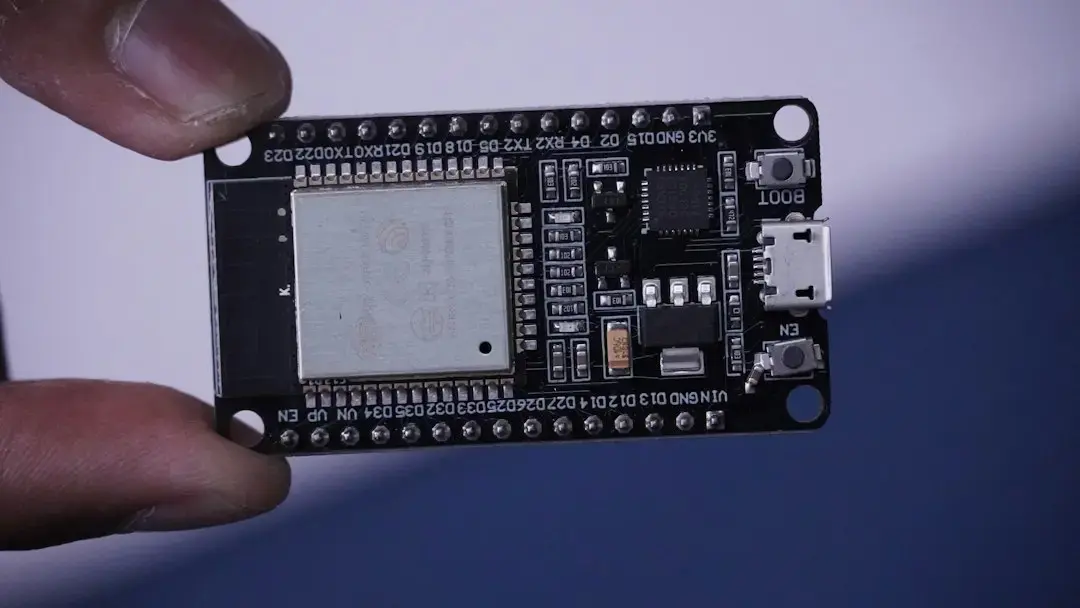
I recently built a custom display using an ESP32 microcontroller to show real-time data from my Home Assistant setup, and it changed how I interact with my smart home. The project started as a weekend experiment but quickly revealed which information I truly need at a glance, reducing my reliance on checking my phone for updates. By focusing on essential metrics like temperature, humidity, and door status, I created a minimalist interface that lives on my wall. The ESP32 allowed me to pull data directly from Home Assistant via its API and display it on a small e-ink screen, updating every few minutes to conserve power. I prioritized clarity over clutter, removing unnecessary notifications and focusing only on actionable insights—like whether the basement is too damp or if a window was left open.
Latest news
 Anker Unveils Playful 45W Charger With Animated Face Display
 Google Docs Web Version Still Missing Native Dark Mode
 Anthropic-Linked Vulnerability Exploited From China, Targets US and Japan
 Text‑Based AI Agents: Your New Digital Assistants
This forced me to evaluate what data actually serves a purpose in daily life, stripping away the noise that usually floods smart home apps. What Information Do You Really Need to See? Through this build, I realized that most smart home dashboards overwhelm users with data that rarely requires immediate action. Temperature trends in unused rooms or historical energy graphs, while interesting, don’t belong on a glanceable display. Instead, I now show only current states: whether lights are on in key areas, if the garage door is secure, and indoor air quality levels. This shift has made my home feel more responsive and less like a constant stream of alerts. How Has This Changed My Daily Habits? Since installing the display, I’ve noticed a significant drop in how often I unlock my phone to check Home Assistant.
What used to be a habitual scroll now takes seconds—just a look at the wall-mounted screen. The simplicity has reduced digital friction and made me more present in my physical space. I no longer feel compelled to monitor every sensor; instead, I trust the system to alert me only when something needs attention. Frequently Asked Questions Why choose an e-ink display for this project? E-ink screens use power only when updating, making them ideal for battery- or solar-powered setups that need to show static information for long periods without draining energy. Can this be done without coding experience? While some familiarity with ESP32 and Home Assistant helps, there are pre-built firmware options and community guides that simplify the process for beginners. Does the display work offline?
It requires a network connection to fetch data from Home Assistant, but once loaded, the image remains visible even if the connection drops temporarily.
Comments
Leave a comment