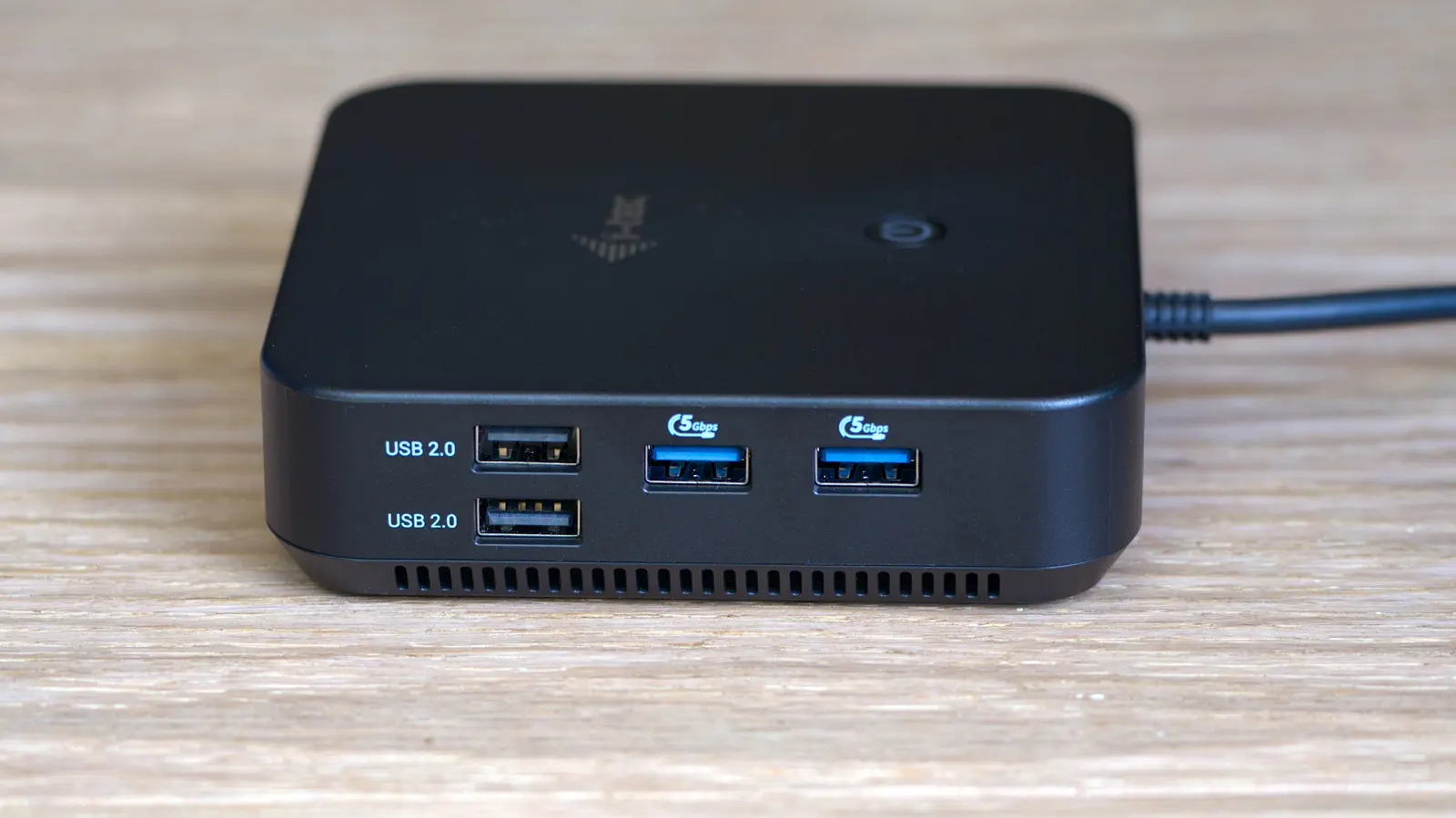
How Docking Stations Transform a Home Office
A growing number of professionals are turning to USB‑C docking stations to expand the limited ports on ultra‑slim laptops. These devices let users connect multiple peripherals—monitors, keyboards, external drives, and Ethernet—through a single cable, simplifying desk setups and boosting productivity. As laptops become thinner and more powerful, the demand for versatile docking solutions has surged worldwide.
Latest news
 Smart TVs frequently lose their Wi-Fi connection, leaving viewers staring at a spinning loading icon
 Why Ignoring Car Software Updates Is Risky
 Apple's foldable iPhone Duo introduces dual-display multitasking capabilities
 FCC Weighs Reciprocal Limits on Foreign Satellite Firms
USB‑C docks differ from simple hubs by offering full‑featured ports, power delivery, and often support for dual‑4K displays. The compact design of modern laptops means manufacturers sacrifice legacy ports to save space, leaving users with only a few USB‑C connectors. Docking stations restore the functionality of a traditional desktop, allowing a laptop to serve as a primary workstation without constant plugging and unplugging. They also deliver up to 100 W of power, keeping the laptop charged while peripherals run.
In a typical home office, a user might need a 27‑inch monitor, a mechanical keyboard, a mouse, an external SSD, and a wired internet connection. A USB‑C dock consolidates these needs into a single connection to the laptop, reducing cable clutter and freeing desk space. Tech analyst Maya Patel notes, „A dock acts as a bridge between the mobile nature of laptops and the stationary power of a desktop, delivering both convenience and performance.”
Are USB‑C Hubs Enough, or Do You Need a Full Dock?
Data from a 2023 consumer survey shows that 68 % of respondents who adopted a docking station reported faster workflow transitions and fewer hardware issues. The ability to charge the laptop while using high‑resolution monitors also eliminates the need for separate power adapters, cutting down on desk footprint and travel weight for remote workers.
While USB‑C hubs provide basic expansion—adding a few USB‑A ports or an SD card reader—they lack the robust power delivery and video output capabilities of docks. Hubs typically support only one external display and limited charging, making them unsuitable for power users who rely on multiple monitors or need high‑speed data transfer. In contrast, docking stations often include Thunderbolt 3/4 support, enabling dual‑4K monitors at 60 Hz and up to 40 Gbps data rates.
Choosing the right device hinges on workload demands. Graphic designers, video editors, and developers who juggle several high‑resolution screens and external GPUs benefit most from a dock. Casual users who only need occasional peripheral connections may find a hub sufficient and more budget‑friendly.
As USB‑C becomes the universal standard, manufacturers are expanding dock features, adding Ethernet, audio jacks, and even SD card slots, turning a single cable into a full‑featured workstation hub. The trend points toward a future where the laptop truly replaces the desktop, with docks serving as the central nervous system of the modern office.
Frequently Asked Questions
What power output do USB‑C docking stations provide? Most modern docks deliver between 60 W and 100 W, enough to charge most laptops while powering attached devices.
Can a dock support more than one external monitor? Yes, many docks with Thunderbolt or DisplayPort Alt Mode can drive two 4K displays simultaneously, depending on the laptop’s GPU capabilities.
Do docking stations work with any laptop? They work with laptops that have a USB‑C port supporting Power Delivery and video output. Users should verify compatibility with their device’s specifications.
Comments
Leave a comment