Why Wholphin Stands Out Among Jellyfin Clients
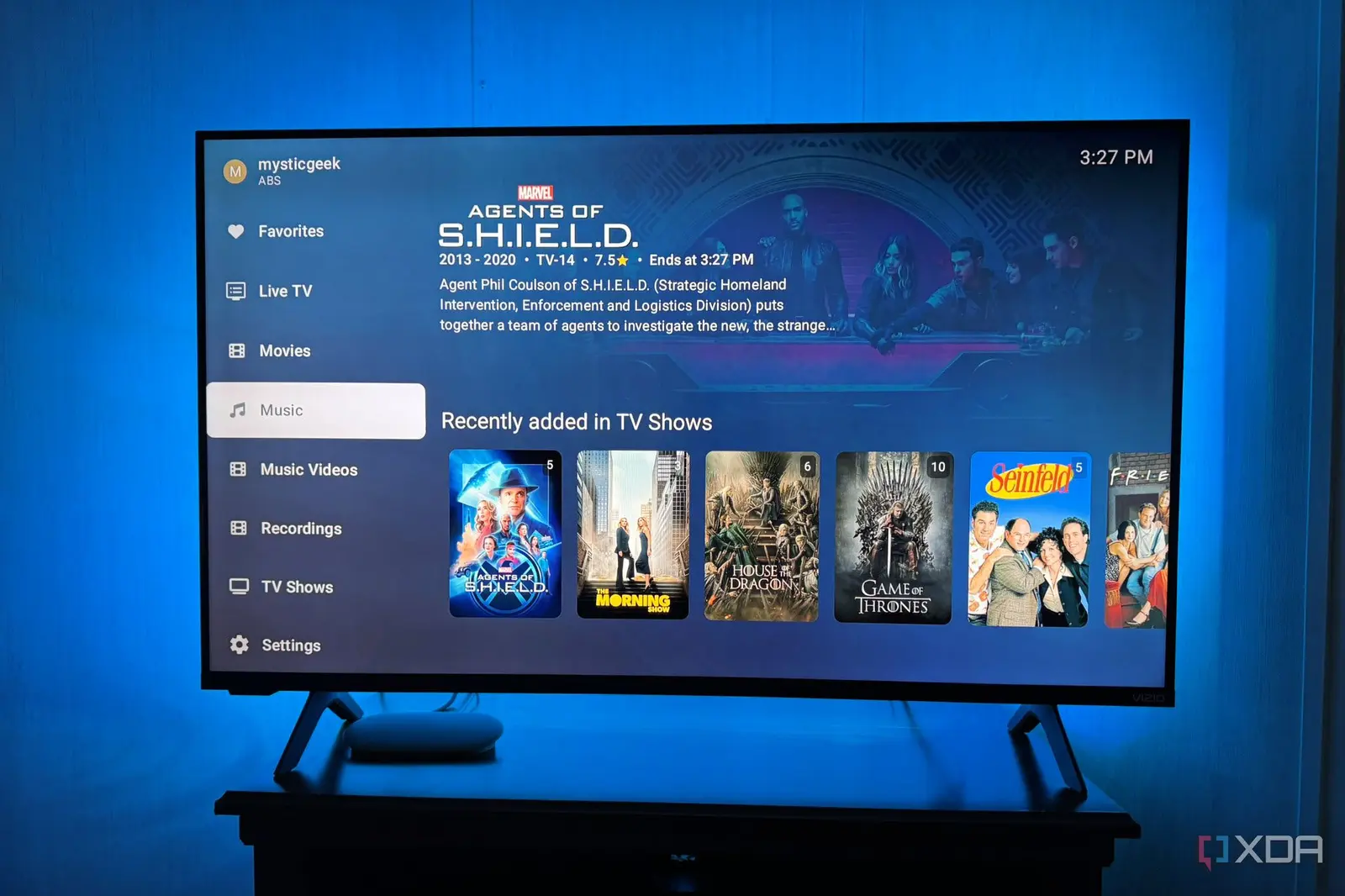
A new version of the Wholphin media player has been released for Android TV and Google TV devices. The update focuses on performance, stability, and interface improvements. This client is a popular third-party front-end for the Jellyfin media server. It allows users to stream movies and shows directly to their TV screens.
Latest news
 Smart TVs frequently lose their Wi-Fi connection, leaving viewers staring at a spinning loading icon
 Why Ignoring Car Software Updates Is Risky
 Apple's foldable iPhone Duo introduces dual-display multitasking capabilities
 FCC Weighs Reciprocal Limits on Foreign Satellite Firms
The update addresses common issues reported by the community. These include buffering problems and navigation bugs. Developers also refined the user interface for smoother operation. The app remains free and open-source. It supports a wide range of media formats.
Wholphin differentiates itself through deep customization options. Users can adjust playback speed, subtitles, and display settings. The app integrates tightly with Jellyfin's backend. This means library management, user accounts, and playback tracking work seamlessly. The latest update enhances these core functions. It also adds support for newer video codecs. This ensures compatibility with the latest content releases.
What Does This Mean for Your Home Media Setup?
The development team emphasized that the update was driven by user feedback. They prioritized fixes for the most reported crashes. Performance benchmarks show faster load times. The app now handles large media libraries more efficiently. This makes navigation through extensive collections quicker.
Upgrading Wholphin unlocks a more reliable streaming experience. Users with large media collections will notice the difference immediately. The update is available through standard app stores for Android TV. Installation takes less than a minute. No data migration is required. Existing libraries and watch history remain intact.
Looking ahead, the development team hints at further improvements. Future versions may include enhanced search features. They also plan to expand device compatibility. This positions Wholphin as a leading choice for Android TV users. The open-source nature ensures continuous community contributions. Users can report bugs and request features directly. This collaborative approach keeps the app evolving rapidly.
Frequently Asked Questions
Is the Wholphin update free to install? Yes. The update downloads automatically or manually via the app store. No subscription or purchase is required to access the new features.
Does the update require a new Jellyfin server version? No. The client update works with existing Jellyfin server versions. However, pairing it with the latest server release ensures full feature compatibility. This includes newer codec support and improved metadata handling.
Will my watch history and settings survive the update? Yes. The update preserves all user data. Watch progress, favorites, and custom settings remain intact. No data migration or reset is necessary during the upgrade process.
Comments
Leave a comment