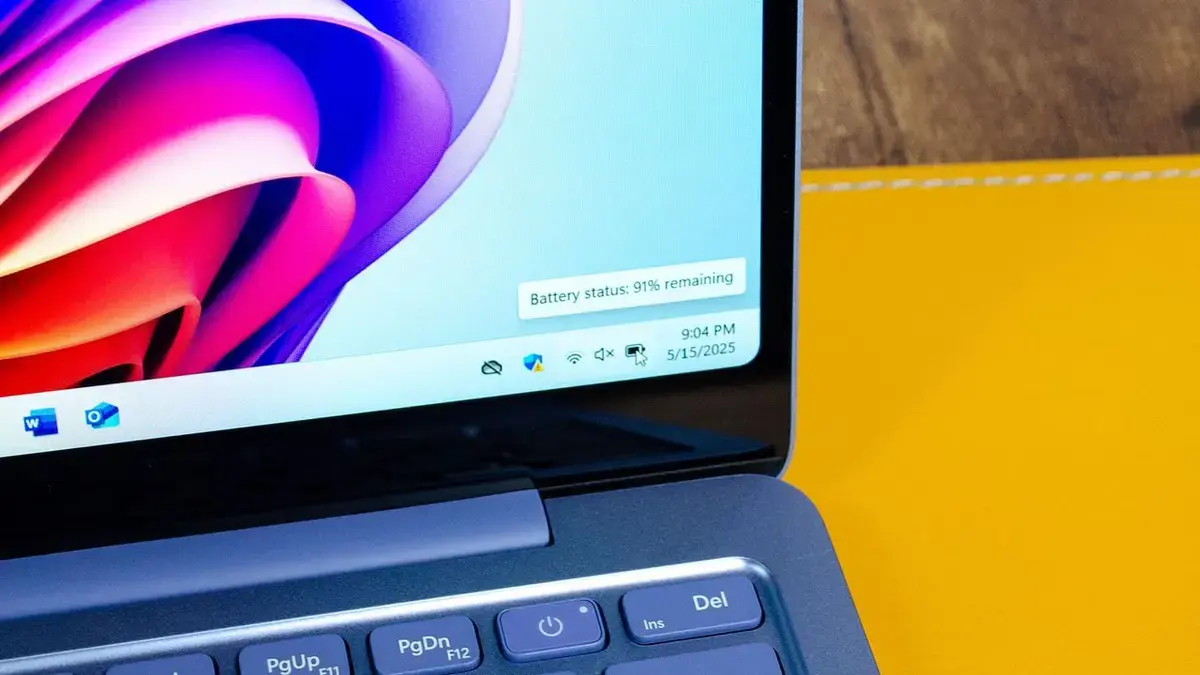
Beyond Capacity: What Drives Real‑World Laptop Battery Life
In 2026, shoppers still face a complex decision when picking a new laptop, whether they favor a Windows ultrabook or a MacBook. They must weigh a growing list of specs, from AI assistants to display quality, against how long the device will actually run away from a charger.
Latest news
 Major AI firms recorded peak lobbying expenses last summer
 Apple Magic Keyboards for iPad Drop to Half Price at Woot
 Microsoft Provides Fix for Broken Exchange Online Apps
 Security Breach at AI Aggregator Exposes 18 Million Files and Private Chats
Manufacturers now stress battery capacity, but real‑world endurance hinges on power‑efficient components, software tuning, and the way AI features consume energy. A larger cell can be offset by a power‑hungry processor, while a modest battery may outlast a bigger one if the system is well‑optimized. Understanding these trade‑offs helps buyers avoid disappointment after the first few weeks of use.
Silicon efficiency is the cornerstone of longer runtimes. Modern CPUs and GPUs are built on smaller nanometer processes, reducing leakage and allowing lower voltage operation. Combined with dynamic frequency scaling, these chips can throttle back when idle, preserving juice for active tasks. Memory modules also matter; low‑power DDR5 chips draw less current than older generations, extending overall endurance.
Display technology adds another layer of impact. OLED panels deliver vivid colors but can be power‑intensive, especially at high brightness. Many manufacturers now offer adaptive brightness sensors that dim the screen in dim environments, cutting consumption without sacrificing usability. Similarly, high refresh‑rate screens (120 Hz or more) provide smoother motion but double power draw compared to standard 60 Hz panels. Users who enable „Eco Mode” often see a 10‑15 percent boost in battery life.
Can AI Features Shorten Your Laptop’s Runtime?
Software optimization plays a decisive role. Operating systems now include granular power‑profile settings, allowing users to prioritize performance or battery savings. Background services, such as cloud sync or telemetry, can drain power silently. Vendors that bundle AI assistants often embed them deep into the OS, enabling on‑device inference that avoids constant network calls but still taxes the processor. Disabling unnecessary AI features can recover several hours of usage per charge.
Artificial intelligence is a double‑edged sword for battery life. On one hand, on‑device AI models, like speech recognition and image enhancement, reduce reliance on cloud servers, cutting latency and network power use. On the other hand, running these models locally consumes GPU cycles and memory bandwidth, which translates to higher energy draw.
A recent benchmark from a leading tech lab showed that enabling a voice‑assistant „always‑on” mode reduced a laptop’s endurance by roughly 30 percent under typical office workloads. Conversely, turning off the assistant and relying on periodic activation restored most of the lost runtime. Users who frequently run AI‑heavy applications—such as real‑time video editing with AI filters—report noticeable drops in battery endurance, sometimes halving the expected unplugged time.
Manufacturers respond by offering „AI‑optimized” power modes that scale down the processor when AI tasks are idle. These modes can recoup up to 20 percent of battery life, but they require manual activation. The key takeaway is that AI features are not inherently bad; they simply need careful management to avoid unexpected power drain.
Frequently Asked Questions
As laptops continue to integrate smarter components, buyers should look beyond raw watt‑hour figures. Prioritizing efficient silicon, adaptive displays, and mindful AI usage will yield the longest real‑world battery life. Future designs promise tighter integration of power management and AI, potentially delivering devices that stay unplugged for days without sacrificing performance.
What battery size matters most for a laptop? Capacity matters, but efficiency of the processor, display, and software often outweigh raw watt‑hours. A well‑optimized 50 Wh battery can outlast a poorly designed 70 Wh unit.
How can I extend my laptop’s battery life today? Enable power‑saving modes, lower screen brightness, reduce refresh rate, and disable always‑on AI assistants. Closing background apps also helps.
Will future laptops automatically manage AI power use? Manufacturers are adding smarter power profiles that throttle AI workloads when idle. Expect more seamless, user‑friendly controls in upcoming models.
Comments
Leave a comment