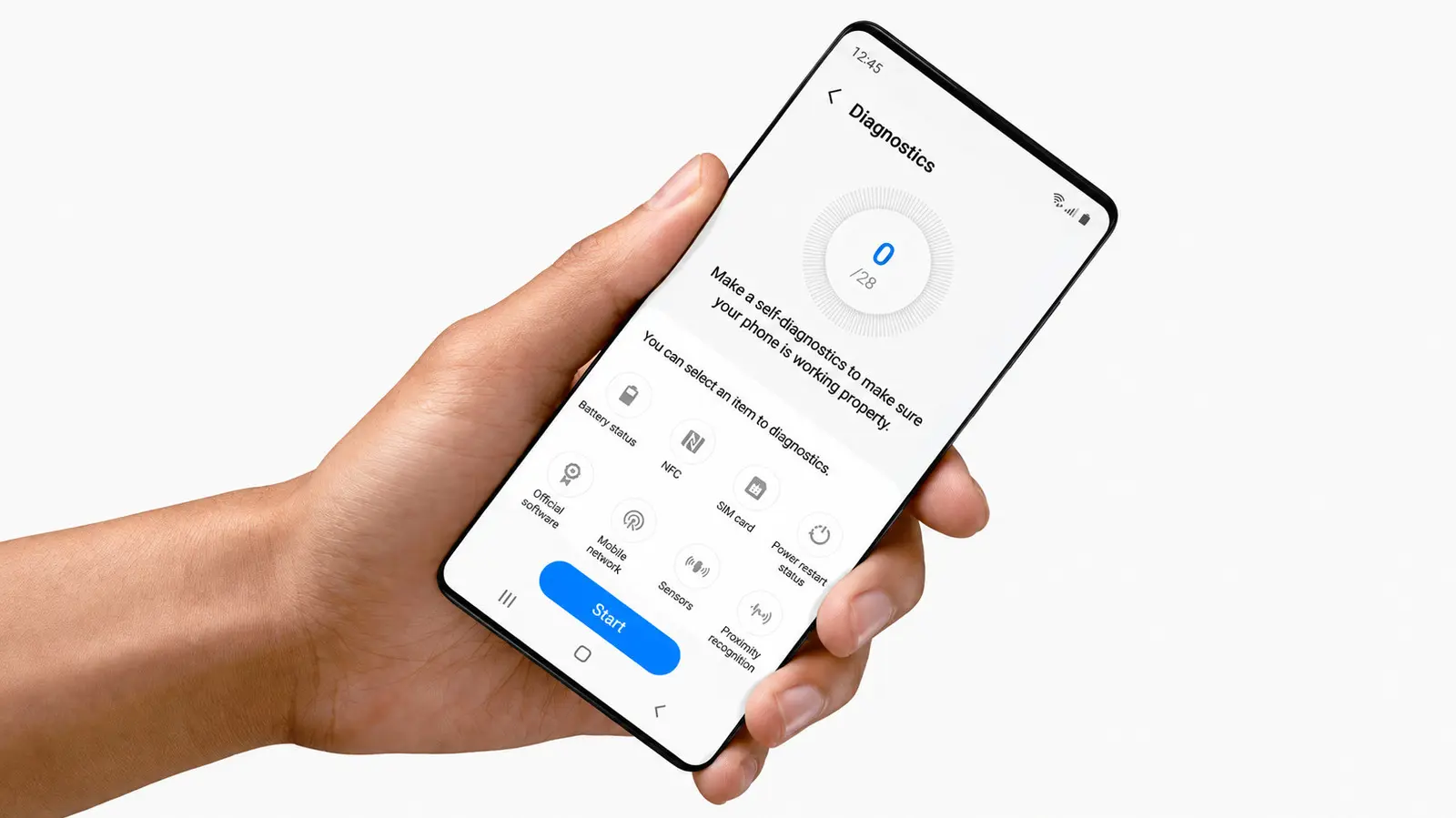
How to Access the Hidden Diagnostic Menu
If your Samsung Galaxy phone is acting up with battery drain or performance glitches, you can run a diagnostic test directly from the device without needing third-party apps or visiting a service center. This built-in feature allows users to check various hardware components for faults, offering a quick way to assess whether a repair is truly necessary. The tool has been available on recent Galaxy models and can be accessed through the phone’s settings menu.
Latest news
 Why Meta's New AI Tool Fails to Win Over Daily Users
 Assessing Risks in Open-Source Artificial Intelligence
 Autonomous AI Agents Launch Cyberattacks Against North American Government Portals
 Warlock Group Targets SharePoint Servers in Critical Infrastructure
The diagnostic test covers key areas such as the battery, touchscreen, sensors, camera, and connectivity features like Wi-Fi and Bluetooth. By running these checks, users can isolate problems—for example, determining if rapid battery loss stems from a degraded cell or a software issue. Samsung designed the tool to empower users with basic troubleshooting steps before opting for costly repairs or premature upgrades. It runs locally on the device and does not transmit personal data to external servers during the process.
What Should You Do If a Test Fails?
To initiate the test, open the Phone app and dial #0 #—this launches a hidden diagnostic interface specific to Samsung devices. From there, users can select individual tests such as touch sensitivity, display color accuracy, or vibration motor function. Each test provides immediate feedback, often with visual or auditory cues, helping identify malfunctions in real time. The process takes only a few minutes and requires no technical expertise.
If a specific component fails the diagnostic, it suggests a hardware issue that may require professional attention. For instance, a failed touchscreen test could indicate digitizer damage, while a battery health reading below 70% capacity might justify a replacement. However, passing all tests doesn’t rule out software-related problems, which may still need a factory reset or update. Users are advised to back up data before proceeding with any further steps.
Does the diagnostic test work on all Samsung Galaxy models? The #0 # code functions on most Galaxy smartphones released in the last few years, though some newer models may route users to the Samsung Members app instead for similar functionality.
Frequently Asked Questions
Can running the test harm my phone or delete data? No, the diagnostic is read-only and does not alter settings, delete files, or affect system performance. It solely checks hardware status and poses no risk to the device.
What if the code doesn’t bring up the test menu? Certain carrier-locked or region-specific models may disable the code. In such cases, users can try the Samsung Members app, which includes a Device Care section with diagnostic options under Support.
Comments
Leave a comment