Each function has its own switch, allowing granular control rather than an
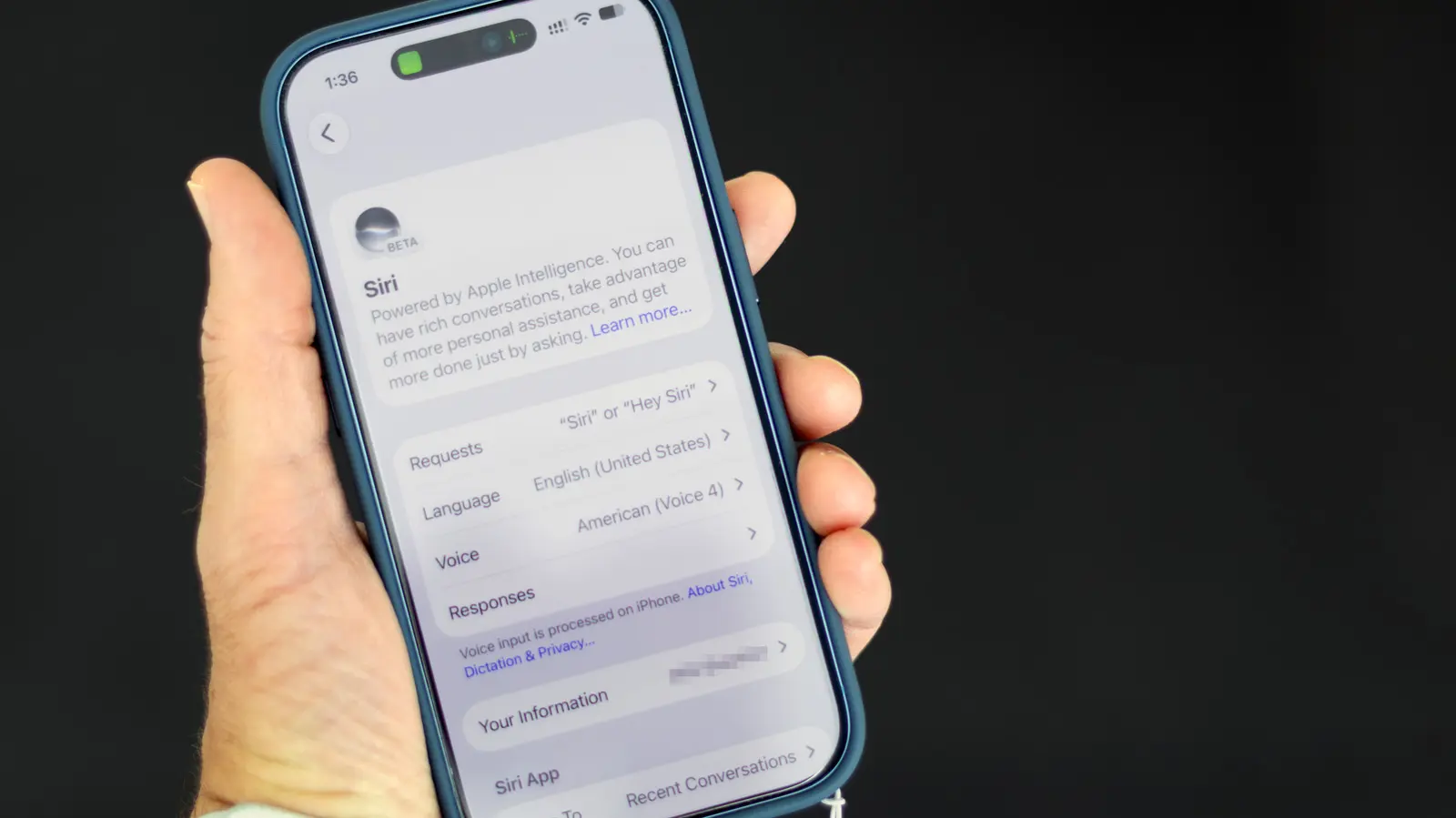
Apple users can now manage AI features on their i Phones through updated settings controls. The company has introduced options to disable or limit Apple Intelligence functions as part of its ongoing rollout of artificial intelligence tools across iOS devices. These controls allow individuals to decide how much AI assistance they want active on their personal devices. The settings are located within the Privacy & Security section of the iOS Settings app, where users can toggle specific Apple Intelligence capabilities on or off. This includes features like AI-powered writing suggestions, photo analysis, and contextual app recommendations. Apple emphasizes that disabling these functions does not affect core device performance but may limit personalized experiences tied to on-device machine learning. What Specific AI Functions Can Be Turned Off Users can restrict individual components such as Smart Reply in Messages, AI-generated summaries in Notes, and adaptive suggestions in Safari.
Latest news
 The iPhone Duo Reimagines Smartphone Navigation
 Improper Redaction Exposes Google Data Center Resource Use in Lincoln
 I fed my messy Obsidian notes to Claude Code and it finally organized my digital brain
 Your Wi‑Fi Performance Is Suffering From a Simple Mistake
Each function has its own switch, allowing granular control rather than an all-or-nothing approach. Apple states that data used for these features remains on the device and is not sent to its servers unless explicitly permitted by the user. How Does This Affect Daily i Phone Use Turning off Apple Intelligence may result in less intuitive interactions, such as missing predictive text or automated photo categorization. However, some users prefer this trade-off for increased privacy or simpler device behavior. Apple notes that all AI processing occurs locally by design, meaning no user data leaves the i Phone for these features unless cloud-based requests are made. Frequently Asked Questions Can I disable Apple Intelligence completely? Yes, users can turn off all Apple Intelligence features through the dedicated settings menu, though doing so may reduce the usefulness of certain apps that rely on AI for core functions.
Will disabling these features improve battery life? Apple indicates that on-device AI has minimal impact on battery, so turning it off is unlikely to yield significant power savings, though individual usage patterns may vary. Are restricted features restored after a software update? No, user preferences for Apple Intelligence settings are preserved across iOS updates unless manually changed again.
Comments
Leave a comment