How the AI widget builder works
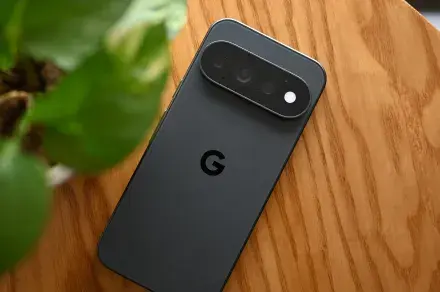
Google has rolled out a fresh set of customization features for Pixel devices as part of the November Pixel Drop. The update introduces an AI-powered tool that lets users build personalized home screen widgets from scratch. It also adds more options for changing app icons. A significant upgrade to the HiLight feature now allows it to work with Google Meet, making it easier to capture important moments.
Latest news
 Smart TVs frequently lose their Wi-Fi connection, leaving viewers staring at a spinning loading icon
 Why Ignoring Car Software Updates Is Risky
 Apple's foldable iPhone Duo introduces dual-display multitasking capabilities
 FCC Weighs Reciprocal Limits on Foreign Satellite Firms
The core of this update is the new AI widget builder. Instead of choosing from a fixed list, users can describe what they want in plain language. The system generates a custom widget based on that description. This gives Pixel owners far more control over their home screen layout.
The feature uses natural language processing to understand user requests. You type in what kind of information you want displayed. The AI then creates a functional widget that fits your description. This removes the need to search through app stores or third-party widget packs. Everything happens directly on the device.
Does HiLight now work with Google Meet?
Icon customization has also been expanded. Users can now choose from a larger set of icon styles. This includes new shapes and colors that match the overall aesthetic of the device. The goal is to make the home screen feel more personal and less generic.
Yes. The HiLight upgrade specifically adds support for Google Meet. Previously, HiLight was limited to other Google apps. Now, users can highlight and save key moments from video calls. This is useful for capturing important discussions or decisions made during meetings. The feature automatically detects significant moments and lets users save them as short clips.
The November Pixel Drop positions these features as part of a broader push to make Pixel phones more customizable. Google is clearly responding to user demand for deeper personalization. The AI widget builder is the headline feature, but the icon options and HiLight upgrade round out the package.
Looking ahead, these updates set the stage for more AI-driven customization in future Pixel releases. Google is likely to expand the AI widget builder to support more data sources. The HiLight integration with Meet suggests a trend toward deeper integration between Google’s productivity tools. Pixel owners can expect even more personalized experiences in the months to come.
Frequently Asked Questions
Can I undo a custom AI widget once created? Yes. You can delete or edit any custom widget you create. The AI builder saves your configurations, so you can adjust them later without starting over.
Which Pixel models get the November Pixel Drop? The update is rolling out to recent Pixel models running the latest Android version. Older devices may receive the update later.
Does the HiLight upgrade require a new app download? No. The HiLight feature is built into the system. The upgrade simply expands its compatibility to include Google Meet without needing a separate app.
Comments
Leave a comment