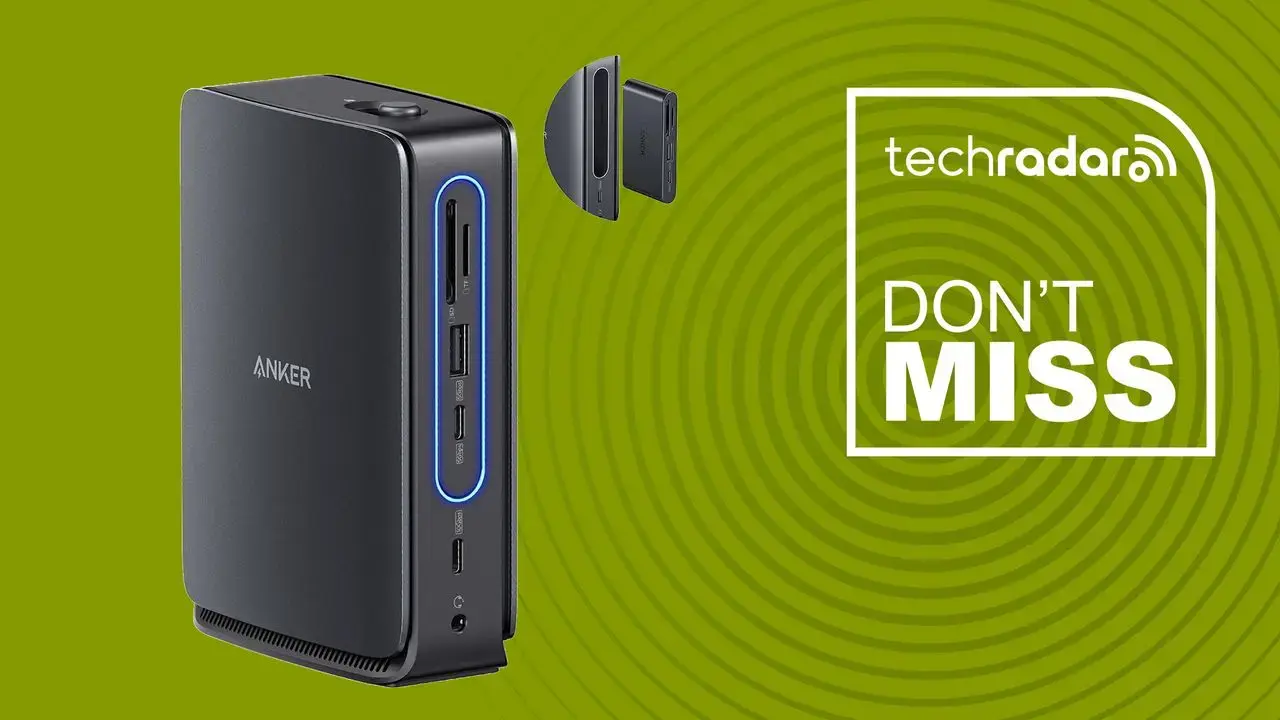
Seamless Multi‑Display Setup for Professionals
Anker has launched a 13‑port docking station that promises to transform ordinary laptops into full‑blown triple‑monitor workstations. The device, available now through major retailers, combines a detachable 6‑in‑1 hub, support for three external displays, and power delivery for both laptops and smartphones. Priced competitively, the dock aims at remote workers, creators, and anyone needing a clutter‑free desktop setup.
Latest news
 Why Meta's New AI Tool Fails to Win Over Daily Users
 Assessing Risks in Open-Source Artificial Intelligence
 Autonomous AI Agents Launch Cyberattacks Against North American Government Portals
 Warlock Group Targets SharePoint Servers in Critical Infrastructure
The docking station packs a surprising array of connections: HDMI, DisplayPort, USB‑C, USB‑A, Ethernet, SD card reader, and a 3.5 mm audio jack. Its detachable hub can be removed when not needed, reducing desk space. Anker claims the dock can drive two 4K monitors at 60 Hz plus a third at 1080p, all while delivering up to 100 W of power to charge a laptop. The built‑in 65 W USB‑C charger also refuels smartphones and tablets. Early reviewers note the plug‑and‑play experience, with Windows and macOS automatically recognizing the peripherals without additional drivers.
For graphic designers and video editors, the ability to run three high‑resolution screens from a single laptop can dramatically improve workflow. Anker’s engineering team designed the dock’s internal chipset to manage bandwidth efficiently, preventing lag when streaming 4K content across multiple displays. „We wanted a solution that eliminates the need for a separate graphics card,” said a company spokesperson. The dock’s Ethernet port supports 1 Gbps networking, ensuring stable internet for cloud‑based applications. Users also appreciate the SD card slot, which speeds up media transfers directly to the workstation.
Can One Dock Replace a Full Desktop?
While the Anker dock offers impressive versatility, it does not replace a dedicated desktop for heavy gaming or intensive 3D rendering. The dock relies on the laptop’s GPU, so performance caps at the laptop’s capabilities. However, for most office tasks, coding, and content creation, the dock provides a tidy, all‑in‑one hub. Its 100 W power delivery means many ultrabooks can run for hours without reaching the wall outlet, reducing cable clutter. The detachable hub also means users can travel light, snapping it off when only a few ports are needed.
The docking station’s launch could shift how remote workers set up home offices, encouraging a move away from multiple adapters toward a single, sleek solution. As more laptops adopt USB‑C charging standards, devices like Anker’s dock may become essential accessories, streamlining the transition between office and home environments.
Frequently Asked Questions
What types of monitors can the dock support? The dock can handle two 4K displays at 60 Hz via HDMI or DisplayPort and a third monitor at 1080p. Users must connect monitors using the appropriate cables supplied with the dock.
Is the dock compatible with both Windows and macOS? Yes, the dock works with the latest versions of Windows and macOS. It uses standard USB‑C protocols, so no extra drivers are required for basic functionality.
Does the dock provide enough power for high‑end laptops? The dock delivers up to 100 W over USB‑C, which is sufficient for most ultrabooks and many mid‑range laptops. Power‑hungry gaming laptops may still need an additional charger.
Comments
Leave a comment